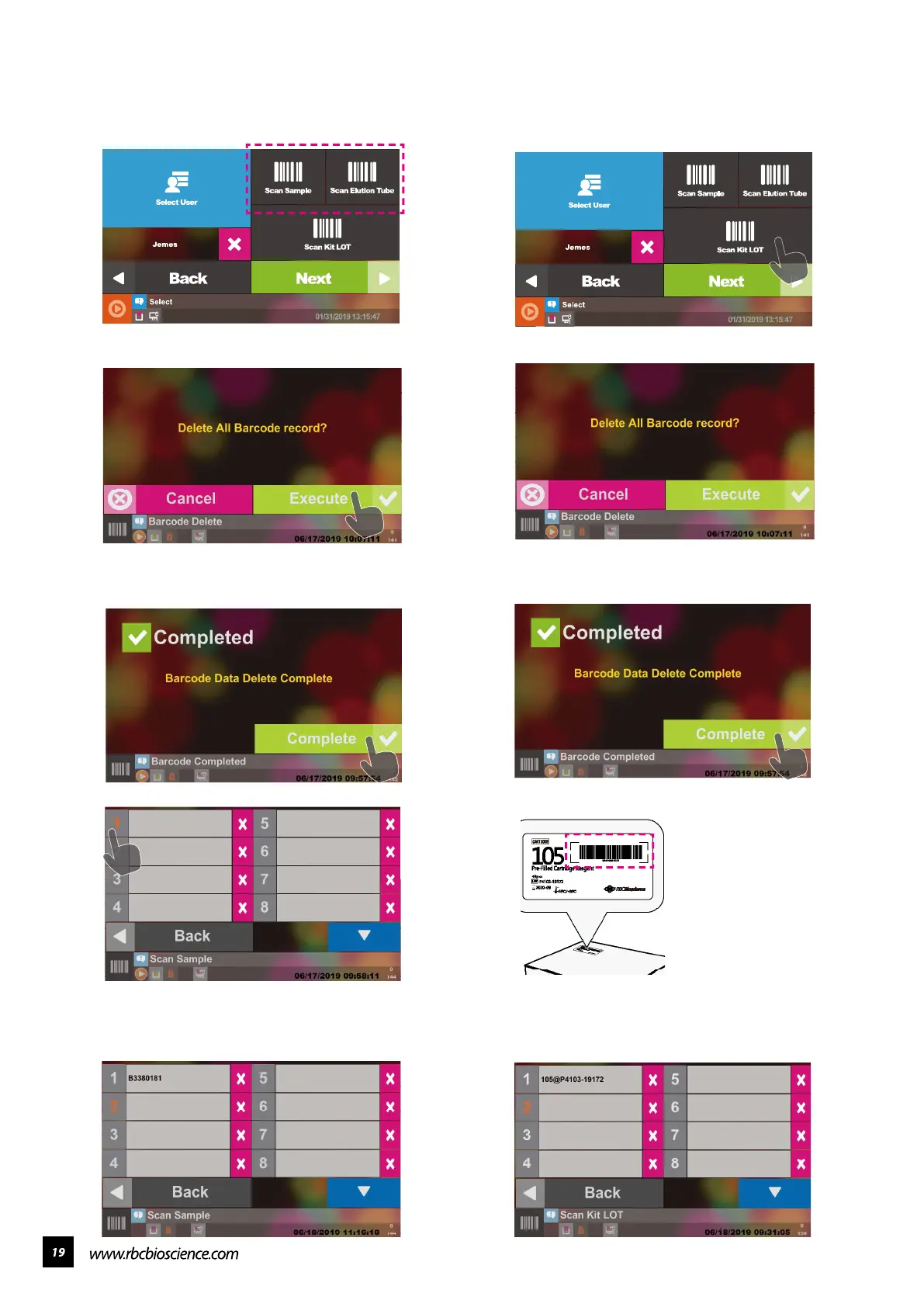
Select Scan Kit LOT
The system will ask you if you want to delete all
the barcode data stored before. Press Execute to
delete it
Deletion Completed
You can start scanning, and the system will
automatically jump to the next item after scanning.
If you need to rescan an item, please press the
digital block to rescan.
━ Scan Sample / Elution Tube ━ Scan Kit Lot
Select Scan Sample or Scan Elution Tube
The system will ask you if you want to delete all
the barcode data stored before. Press Execute to
delete it.
Deletion Completed
You can start scanning, and the system will
automatically jump to the next item after scanning.
If you need to rescan an item, please press the
digital block to rescan.
There is a kit LOT barcode
on the Cartridge Box label
of the KIT you purchased.
You can scan this barcode
for LIMS data storage
purposes.



 To Next Page