ReTransfer ID Card Printer – User Manual
18
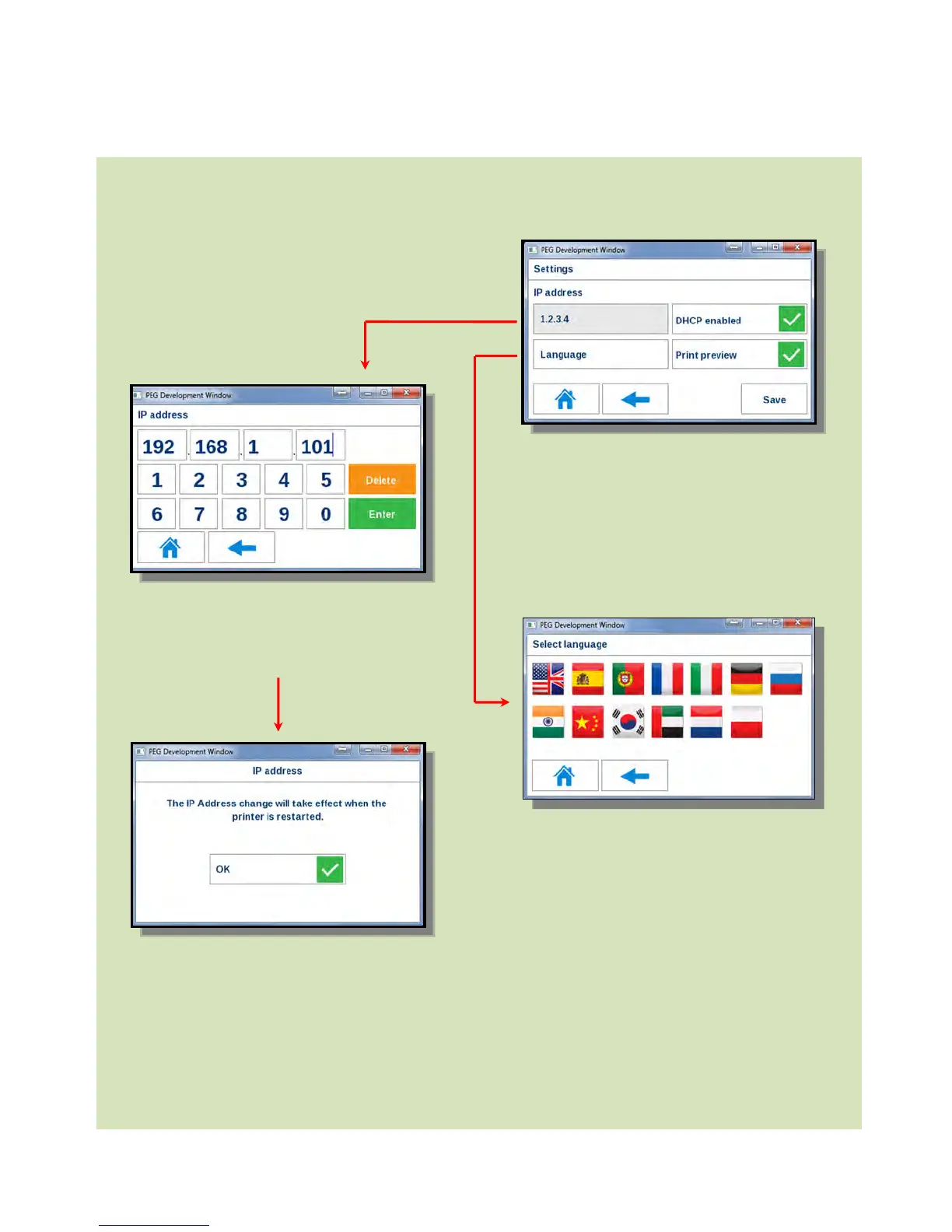
Additional Settings Options
Additional settings are possible from the
Settings Menu Homepage.
be set manually if required.
Manually enter the IP Address you
wish to set and click “Enter”.
If you make a mistake or wish to
change the address, click “Delete”.
ny changes made will take
effect after the printer is
restarted.
Additional Language options
are also possible.
All settings in this window
can be saved.















 To Next Page