ReTransfer ID Card Printer – User Manual
11
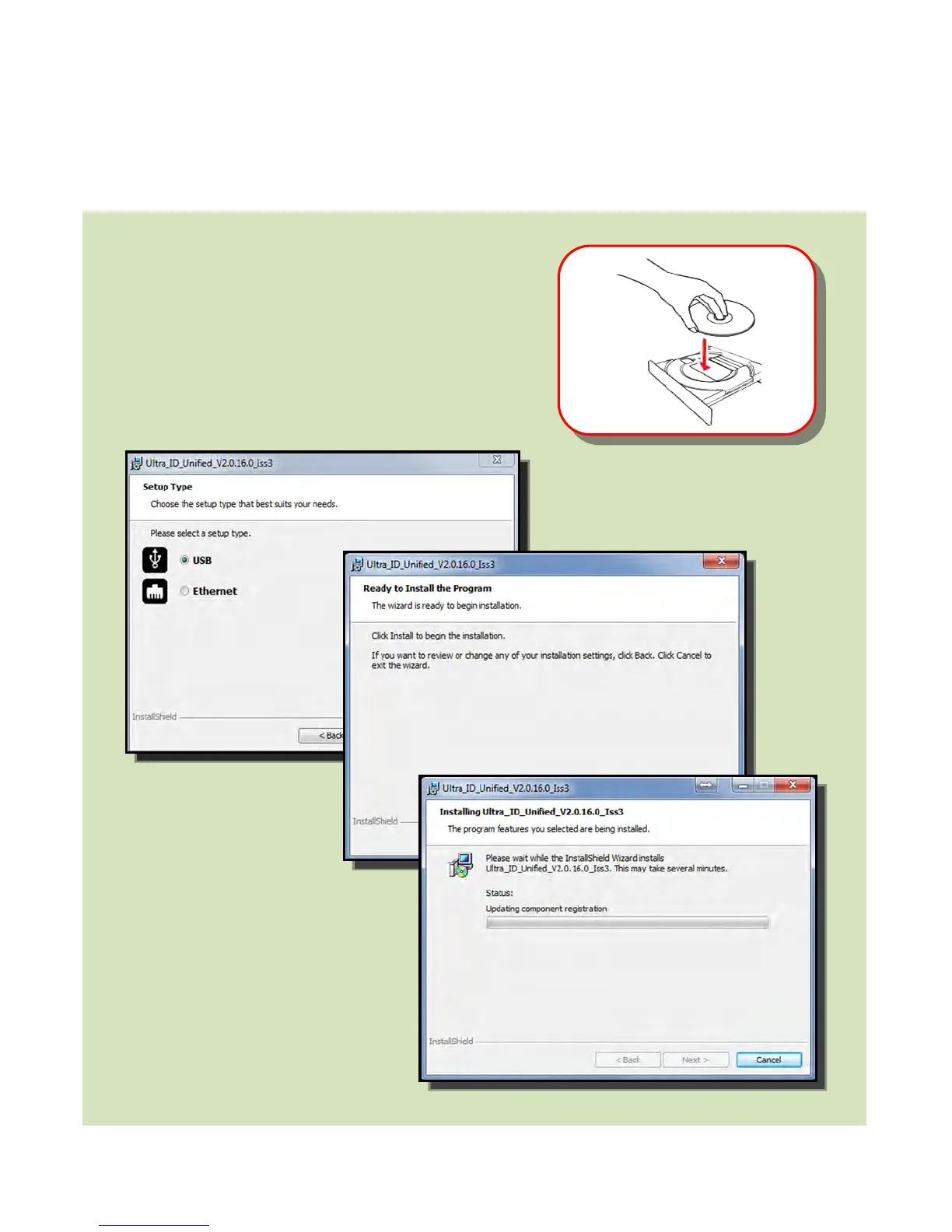
INSTALLING THE DRIVER
retrieve a “Dynamic” IP Address.
A “Static” mode and IP Address
configuration can be updated using
the LCD User Interface.
The installation procedure is
the same for Ethernet
except you will be prompted
to enter an IP Address.
the driver CD ROM into the PC.
Note: If the CD does not run automatically,
click the “Start” Button, then click on “Run”. Type
“D:\autorun”, where D is the drive letter for
your CD Drive, then press the Return Key.
2. Now follow the on screen instructions to
install the Printer Driver (please see below):















 To Next Page