ReTransfer ID Card Printer – User Manual
28
Replacing the Cleaning Roller
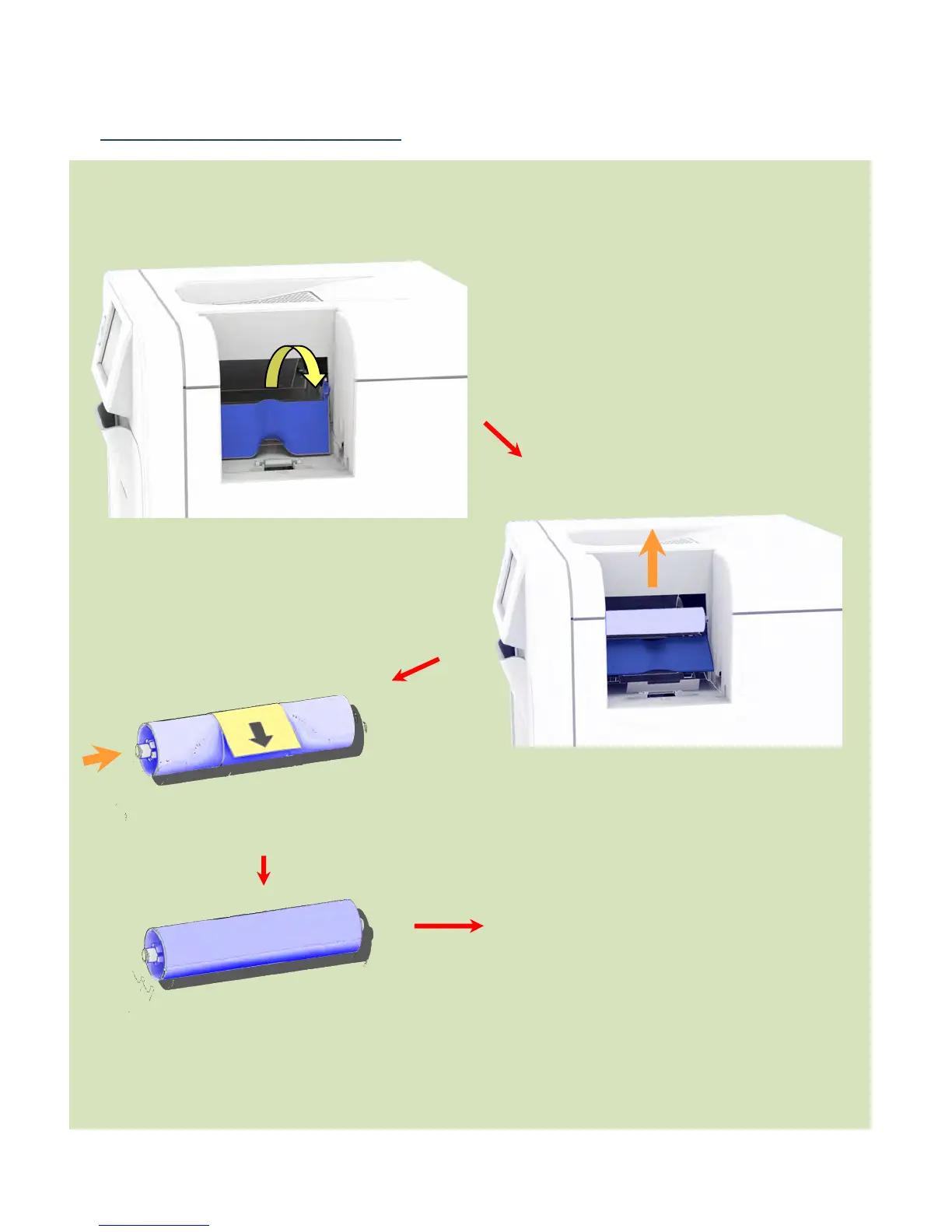
Replacing the Cleaning Roller:
Clip the new Cleaning Roller
(complete with Steel Bar) into the
Printer.
Close the Cleaning Roller Cover.
This completes the replacement
process for the Cleaning Roller.
Hinge the Roller Cover forward.
Unclip the used Cleaning Roller and
slide out the Steel Bar.
Do Not Discard this Bar.
Discard the used Cleaning Roller.
Hinge Roller Cover forward
Remove the paper wrapper
protecting the sticky layer on this
Slide the Steel Bar into the
new Cleaning Roller.
Cleaning Roller















 To Next Page