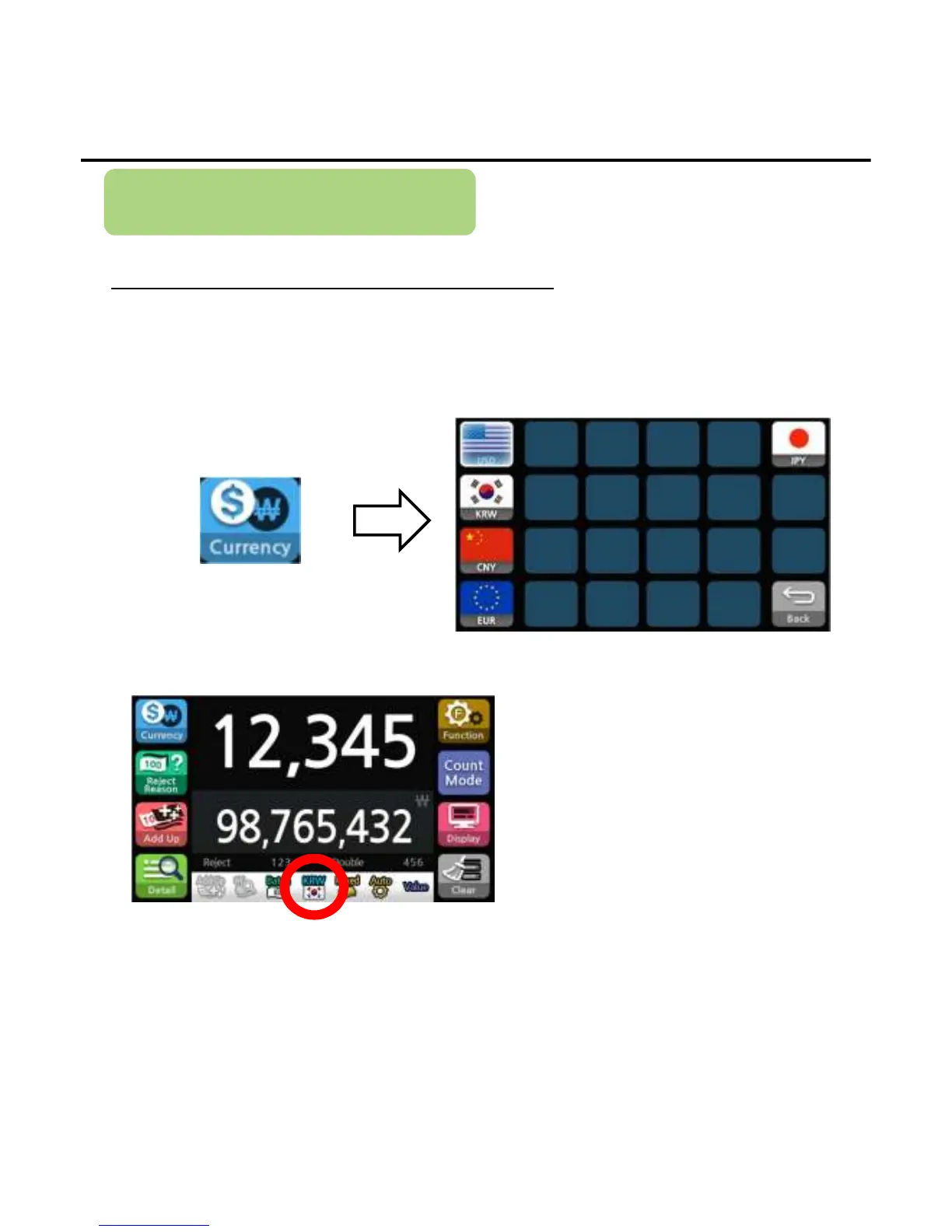
Select Currency
Select Currency for counting
A range of currencies registered within the EE7 firmware are displayed but
the currency with active data table could be counted and evaluated.
1)Press the button below to enter the currency select menu.
2)Press national symbol to select currency.
*The currency name and icon will be shown in the Status Band to indicate the selected currency
User Settings
-
--
-14
1414
14-
--
-


 To Next Page