Settings
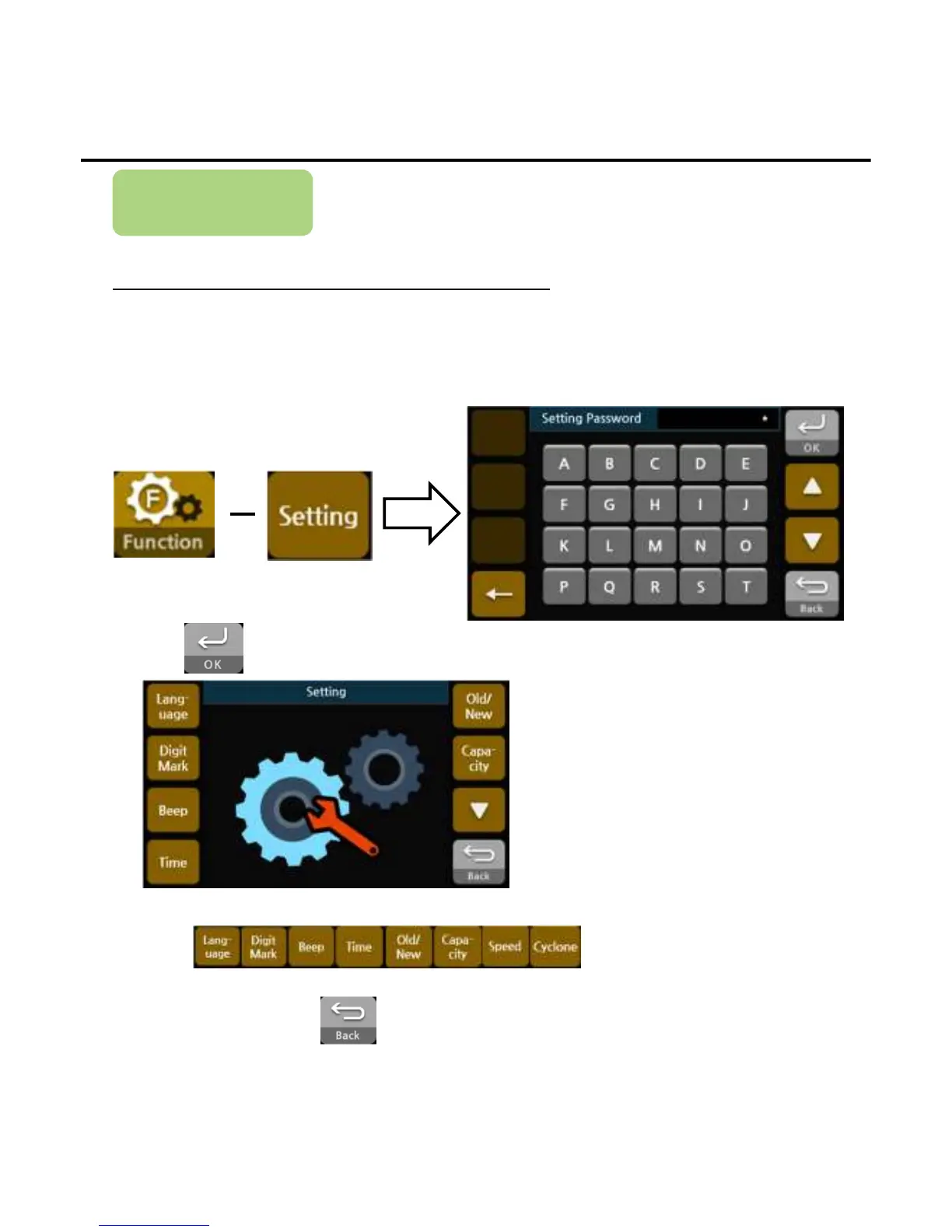
How to Change the Settings
Each setting item has to be set prior to use
1) Press the buttons below to enter the setting password menu
2)Press after press passwords.
4)When finishing, press the button to exit the setting menu.
3)Press button to set the each setting.
User Settings
-
--
-24
2424
24-
--
-


 To Next Page