2. Black List
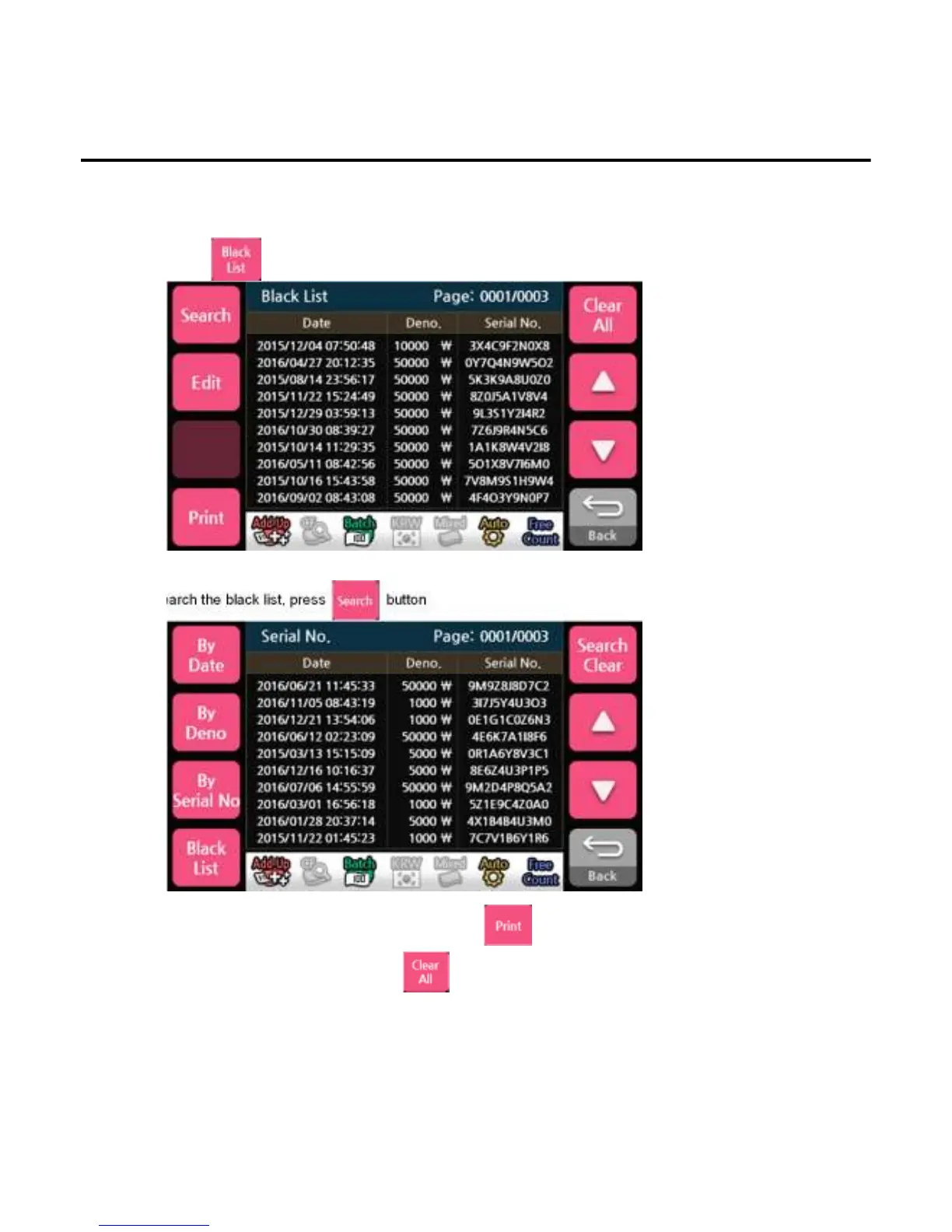
This table shows black list registration date, denomination value, the serial numbers. If the serial
number of banknote is in black list, the machine will send the banknote to the reject pocket.
1)Press button to select black list.
Operation
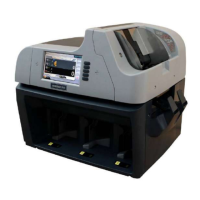
To search the black list, press button
*If an external printer is fitted and enabled, pressing button will transmit the black list
information to the Printer
*To remove black list information, press button
-
--
-43
4343
43-
--
-


 To Next Page