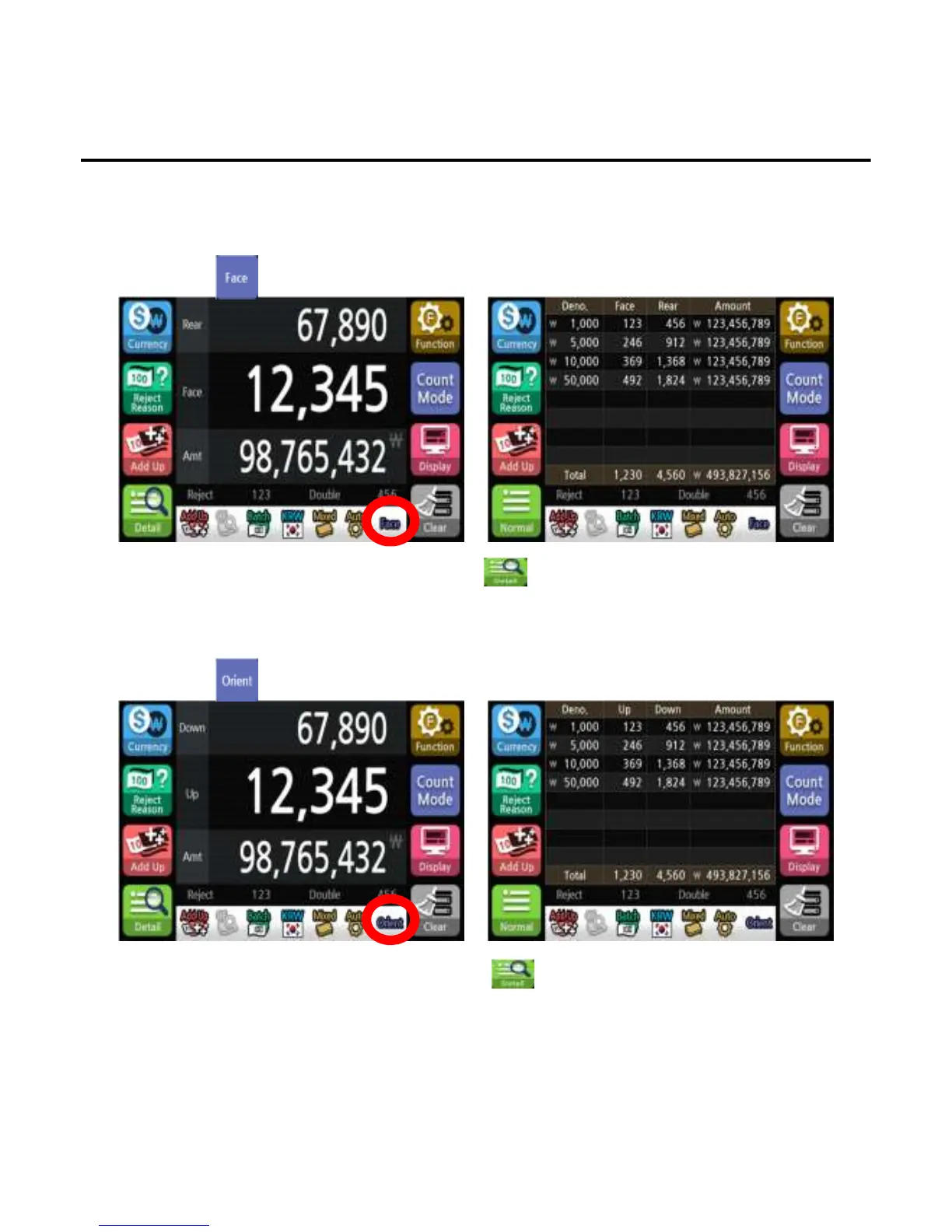
3. Face
4. Orient
To count by same side(front/back) of the banknote which is counted at first. If the note is not the same
side, the machine will send the banknote to the reject pocket.
1)Press button to select face mode.
To count by same direction(UP/Down) of the banknote which is counted at first. If the note is not the same
direction, the machine will send the banknote to the reject pocket.
1)Press button to select orient mode.
*The face symbol will appear on the screen to indicate the selected state.
*To confirm the denomination and face count, press button.
*The Orient symbol will appear on the screen to indicate the selected state.
*To confirm the denomination and orient count, press button.
Operation
-
--
-37
3737
37-
--
-


 To Next Page