Description of Count Mode
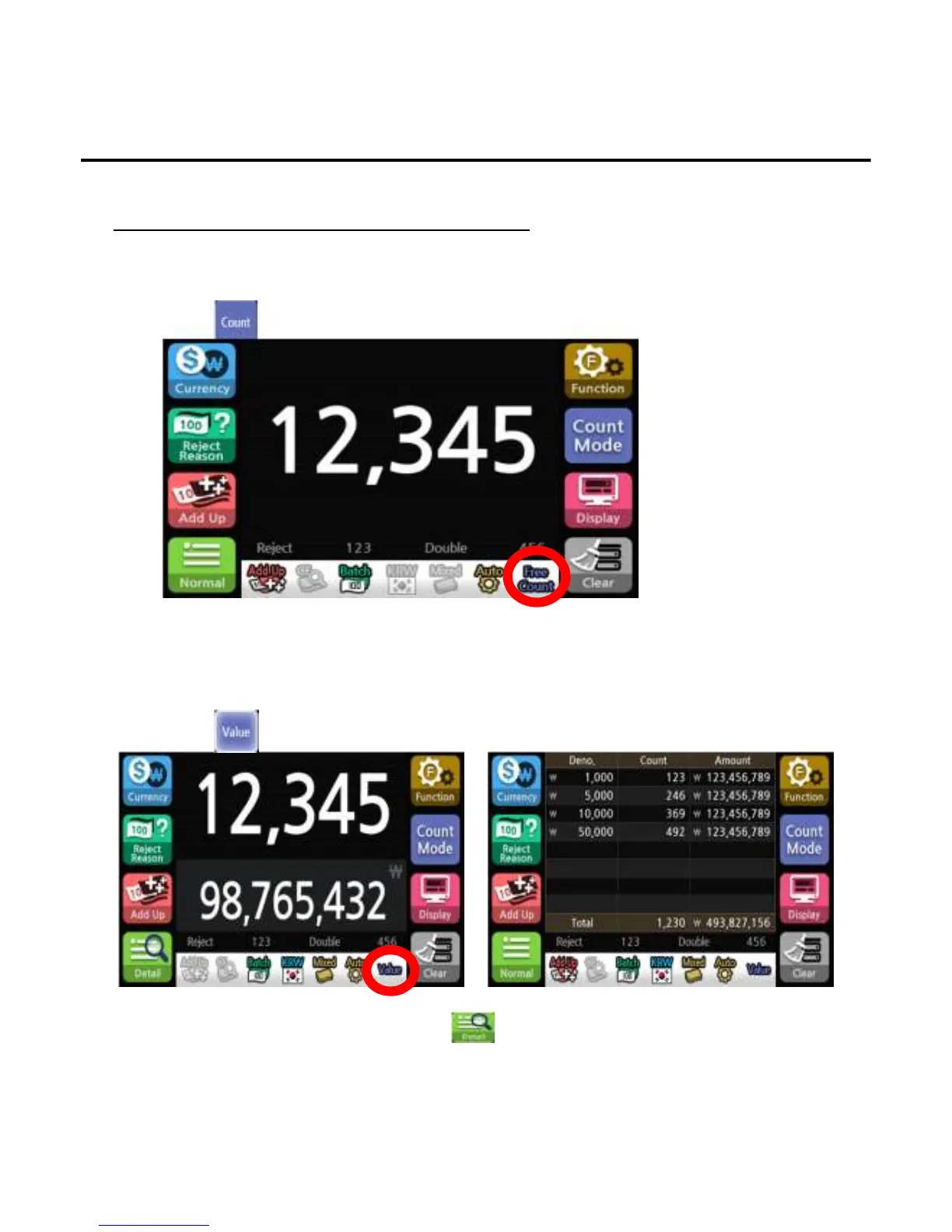
1. Count
To count the total number of banknotes without recognition of denomination.
1)Press button to select free count mode.
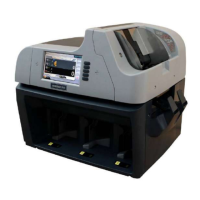
2. Value
To count the total number of banknotes with recognition of denomination.
1)Press button to select value mode.
*The Value symbol will appear on the screen to indicate the selected state.
*To confirm the denomination and count, press button.
*The Free count symbol will appear on the screen to indicate the selected state.
*The count mode doesn’t offer the detail menu.
Operation
-
--
-36
3636
36-
--
-


 To Next Page