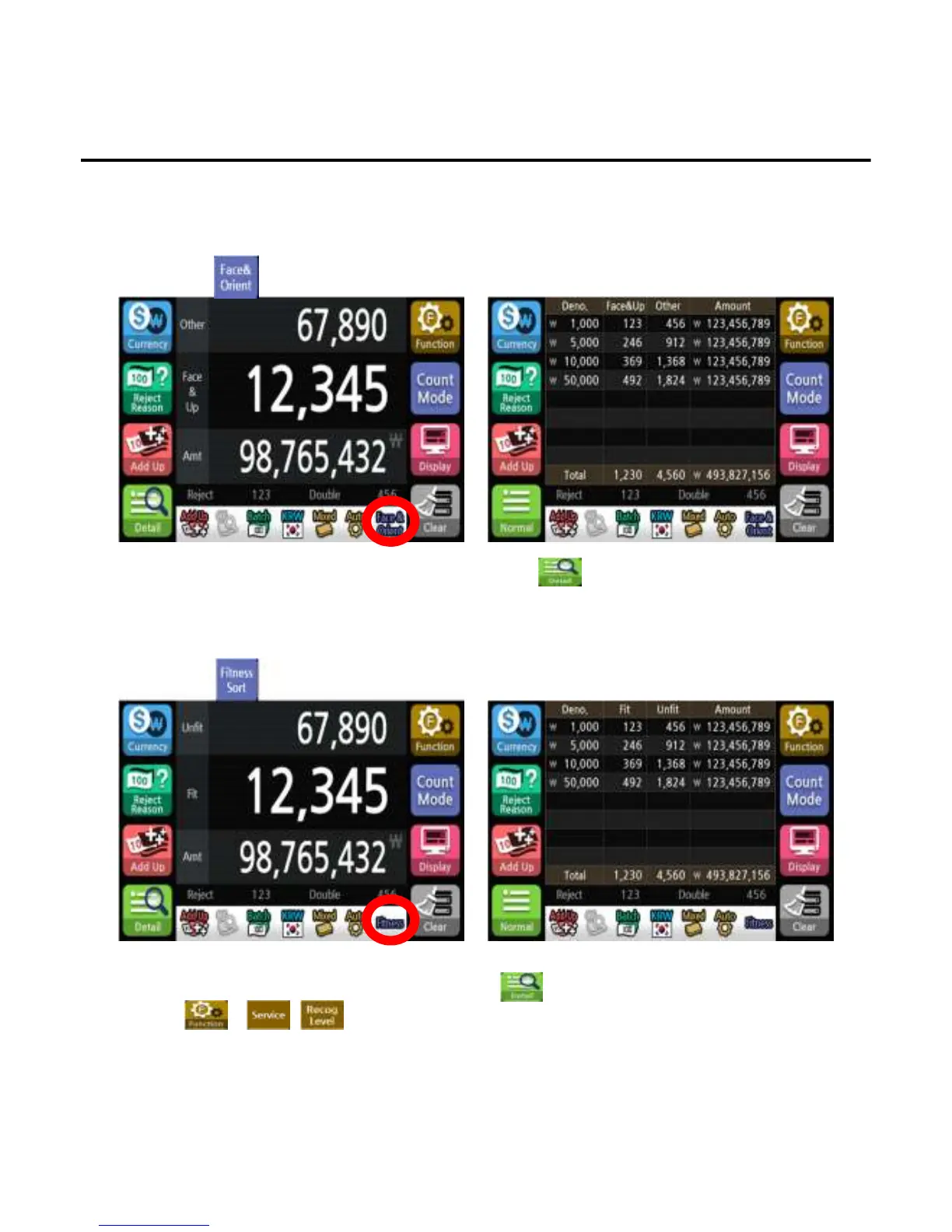
5. Face & Orient
6. Fitness Sort
To count by same side(front/back) and same direction(UP/Down) of the banknote which is initially counted.
If the note is not the same side and direction, the machine will send the banknote to the reject pocket.
1)Press button to select Face & Orient mode.
To sort out fit and unfit banknotes separately.
1)Press button to select Fitness Sort mode.
*The Face & Orient symbol will appear on the screen to indicate the selected state.
*To confirm the denomination and face & orient count, press button.
*The Fitness symbol will appear on the screen to indicate the selected state.
*To confirm the denomination and Fitness count, press button.
*Press - - button to select the level of fitness.
*This mode is not available on EE7 VS model.
Operation
-
--
-38
3838
38-
--
-


 To Next Page