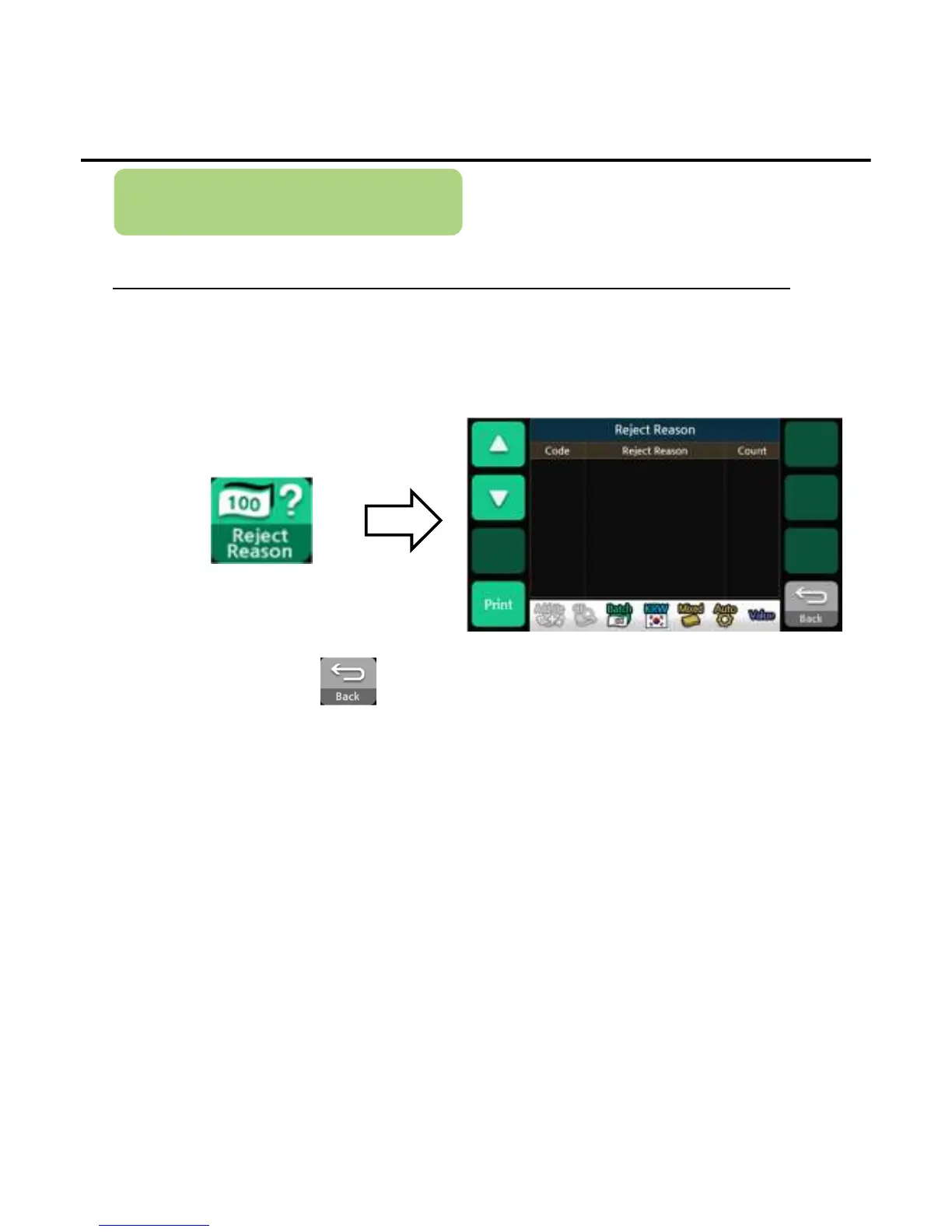
Reject Reason
To display the reason of rejected banknotes
2) When finishing, press the button to exit the reject reason menu.
*If an external printer is connected and enabled, pressing Print button will transmit the reject reason data to the
printer
It displays the reject codes, reject reasons and the number of the rejected up
to the reject code
1) Press the button below to enter the reject reason menu.
Operation
-
--
-32
3232
32-
--
-


 To Next Page