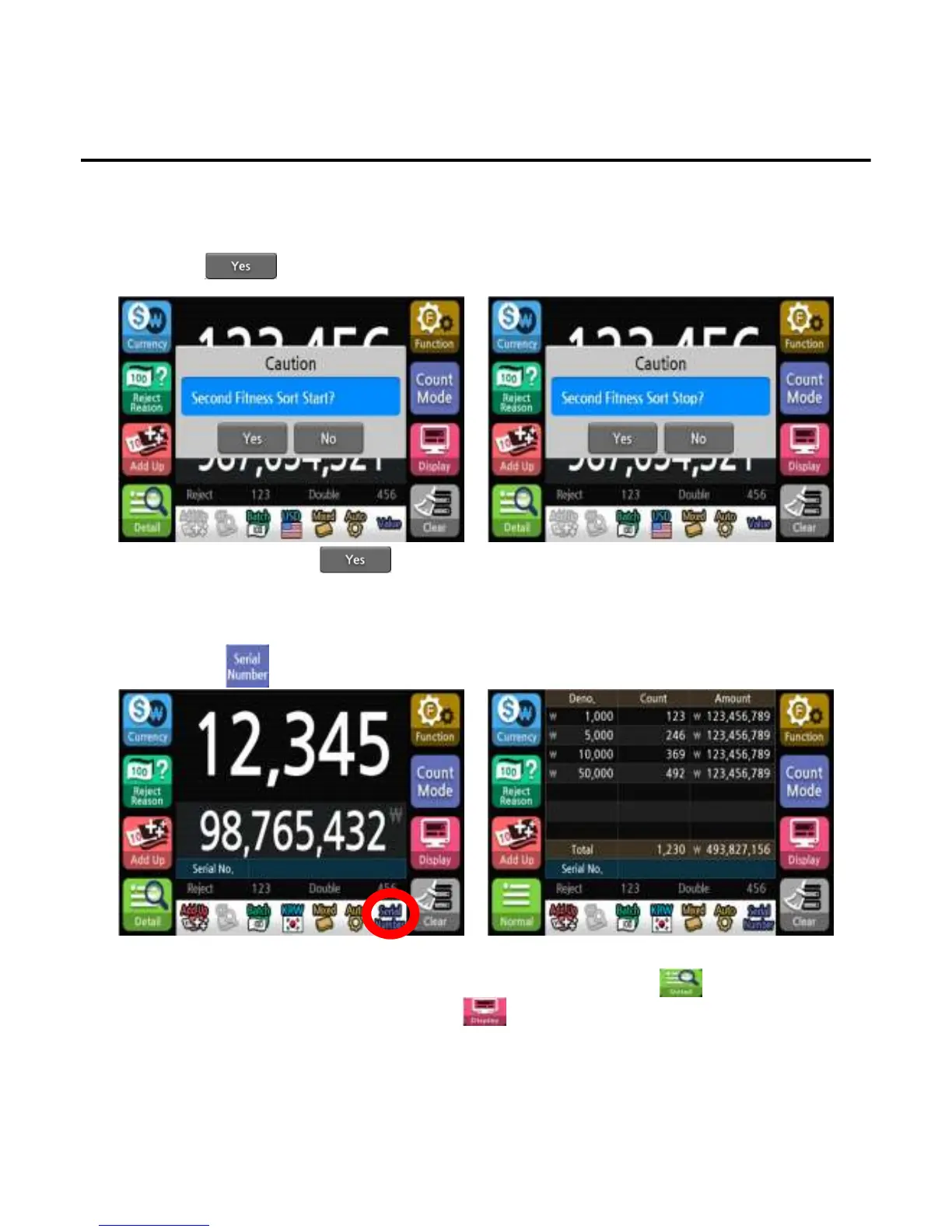
6.1. Fitness Second Sort
7. Serial Number
If Counterfeit notes are Detected after First Fitness sort , Second Sort Mode will Start Automatically.
1)Press button to Run Second sort at message
2)Clear Notes in Stack and Move Notes in Reject bin to Hopper.
*To Stop Second sort Press after Run Message.
Operation
Recognizes the series number of the banknote and shows it on the display.
1)Press button to select Serial Number mode.
*The Serial Number symbol will appear on the screen to indicate the selected state.
*To confirm the denomination and the serial number of the last banknote, press button.
*To confirm the Serial number information, using menu.
*The speed of Serial number recognition is fixed at 800 notes/min.
-
--
-39
3939
39-
--
-


 To Next Page