Detail
Confirm the count
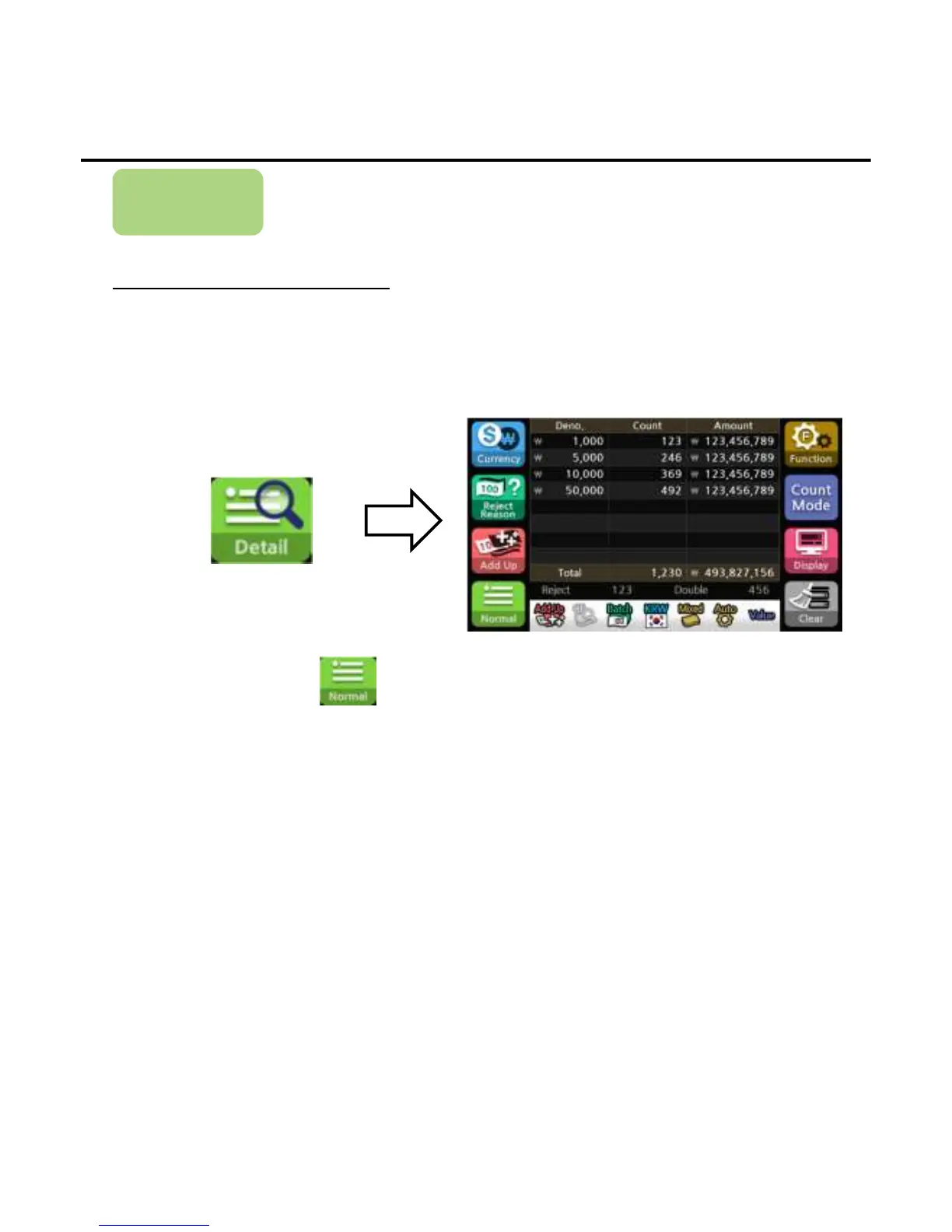
The table shows the denomination, the number of each denomination and the
amount of the summation value to each denomination.
1) Press the button below to confirm the detail counting results.
2)When finishing, press the button to exit the detail table.
*When you start counting on the detail mode, it automatically switches to normal mode. When the counting is
finished, it returns to the detail mode again.
Operation
-
--
-33
3333
33-
--
-


 To Next Page