3.3.1. Connecting MG80-EI with PC
1. Place the downloaded files in the suitable location of the PC.
2. Set IP address of the PC as shown below.
IP address :192.168.100. xxx
※
Subnet mask :255.255.255.0
※Values to avoid in XXX
- “1” (It will be used by MG80-EI in setting mode)
- Same address with other connecting devices.
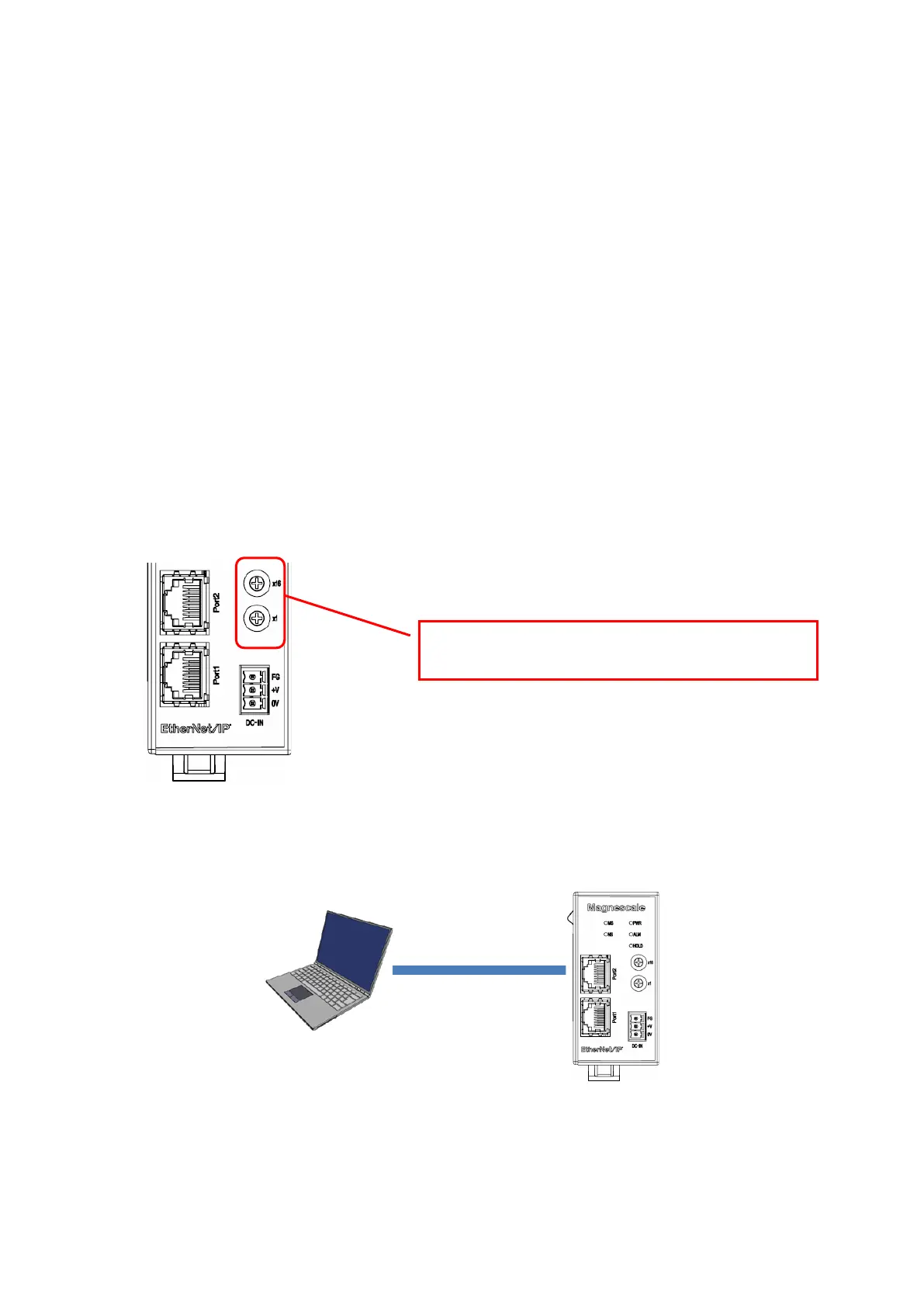
3. Set MG80-EI IP address switches to “0x00”. This will activate the setting
mode. In this mode, IP address will be fixed as shown below.
IP address :192.168.100.1
Subnet mask :255.255.255.0
4. Connect PC and MG80-EI directly with the Ethernet cable.
Then connect power supply to turn on the MG80-EI.
5. Click “MG80SettingTool.exe” in the PC and start the application.


 To Next Page