Flex 6EX System Instruction Manual
March 2016
Page 18 of 38
4.1.4 I-CHIP
The I-CHIP functions in a way that is very similar to a SIM card inside a mobile phone, which
stores system information such as your telephone number, account number, phone book and
other settings. I-CHIP works exactly the same way, as it stores information such as system
serial number/ID code, channel and push button configurations.
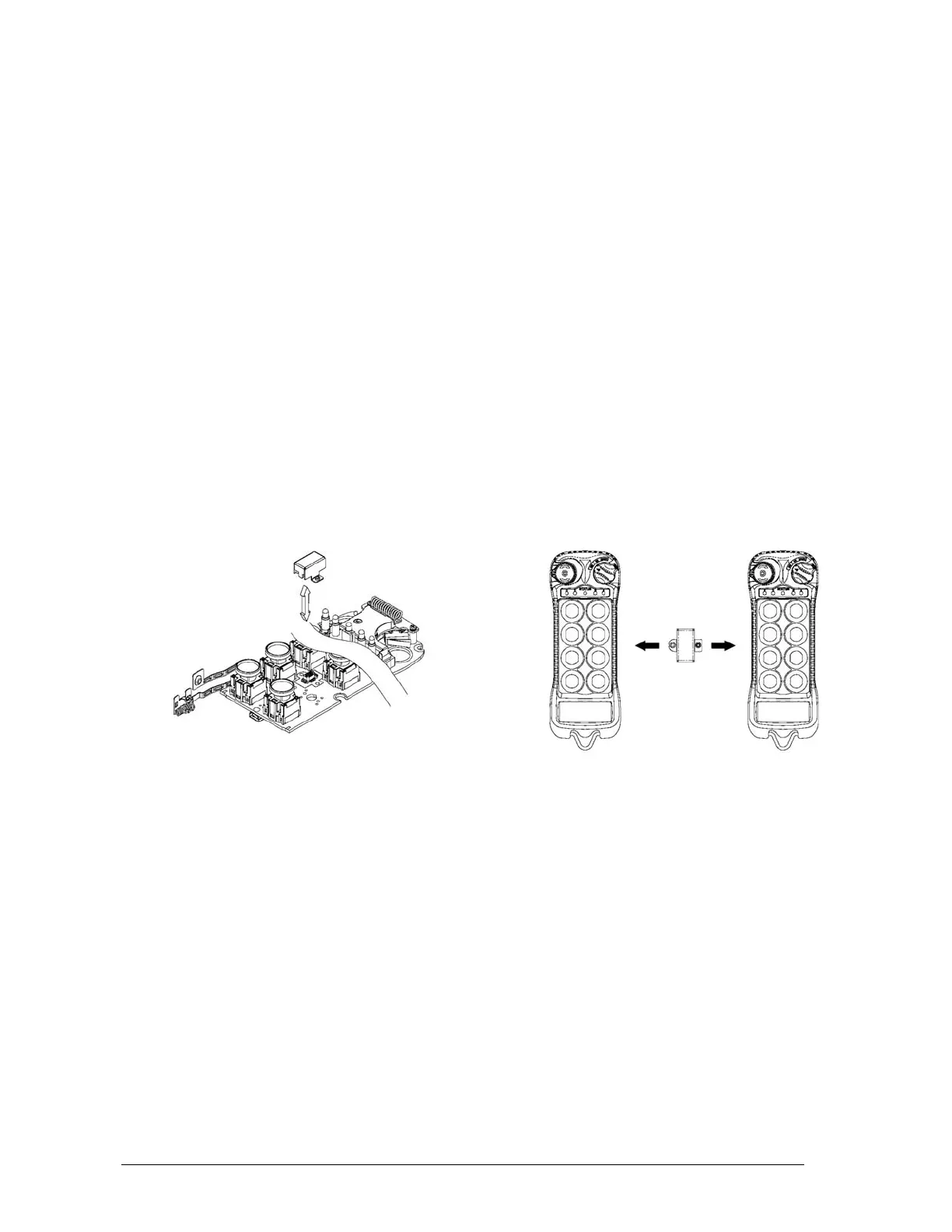
When replacing a transmitter handset, just take the I-CHIP out of the old transmitter and install
it into the new one (refer to Fig. 09 below). For complete information transfer, make sure both
the Channel and Function dip-switch is set to all “1”. If both dip-switches are set to all “1”, then
the transmitter will operate according to the push button configurations and channel stored
inside the I-CHIP. If both Channel and Function dip-switch is set to other values other than all
“1”, then the transmitter will operate according to the channel and push button configurations
set on these two dip-switches, not the ones stored inside the I-CHIP. Every time when the
settings on these two dip-switches have changed, the new settings will be stored into the I-
CHIP automatically. In this case the previous channel and push button configurations stored
inside the I-CHIP will be replaced by the new settings.
For safety purposes, the system serial number/ID code stored inside the I-CHIP cannot be
changed directly on the transmitter encoder board. Only channels and push button configurations
can be changed directly on the encoder board via Channel and Function dip-switches. There are
only two ways that you can change transmitter serial number/ID code: via the I-CHIP
programming port located on the decoder module inside the receiver unit, (please refer to page
26 on how to program the I-CHIP (serial number/ID code) via the receiver unit); or via an external
I-CHIP programmer or duplicator unit available from the factory. Please ask your local dealers for
assistance if your system requires serial number/ID code adjustments.
(Fig. 09)


 To Next Page