2
.6.2 Menu Traversal and Data Entry
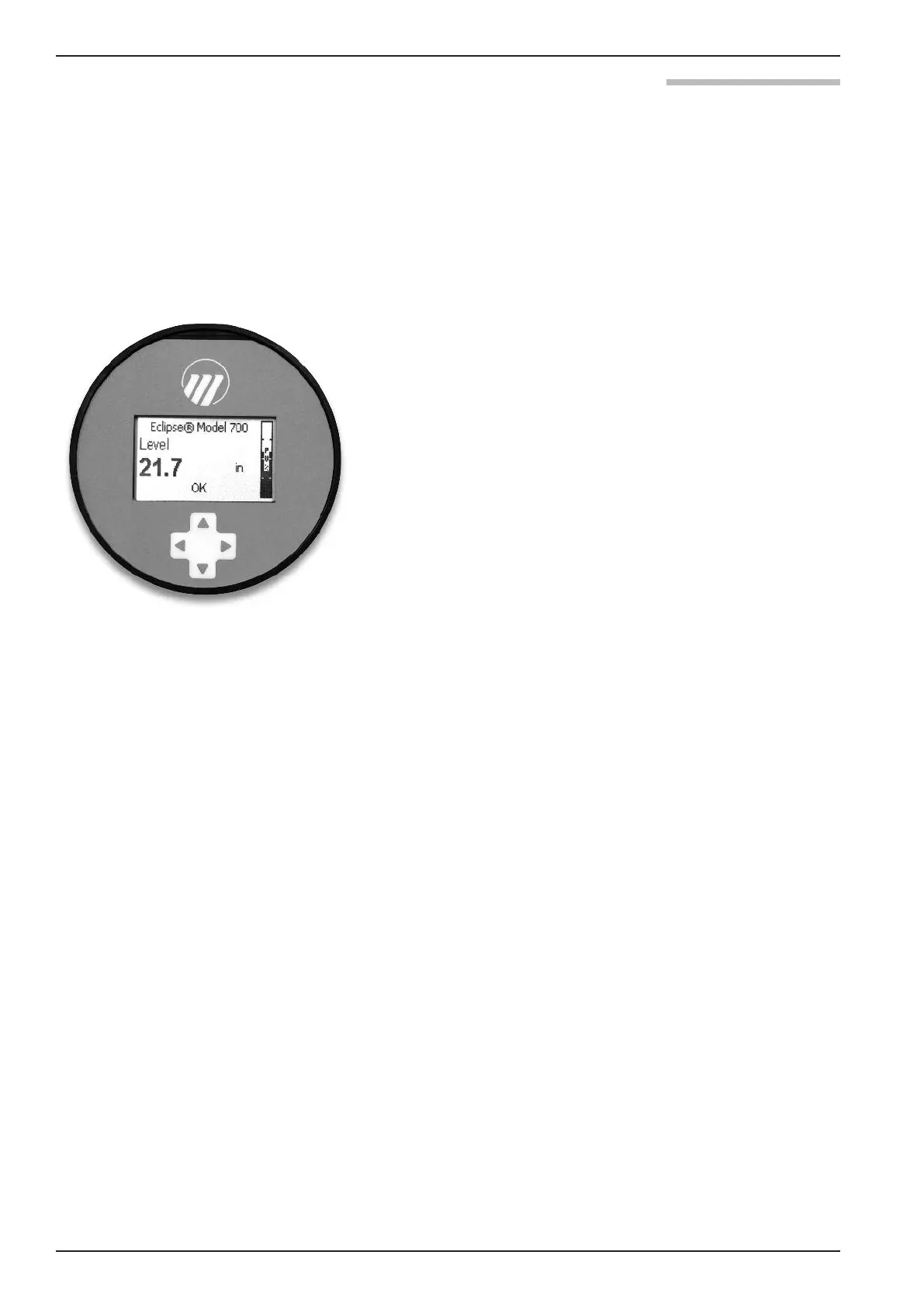
The 4-button directional keypad push buttons offer vari-
ous forms of functionality for navigation and data entry.
The Model 700 user interface is hierarchical in nature,
best described as a tree structure. Each level in the tree
contains one or more items. Items are either menu labels
or parameter names.
• Menu labels are presented in all capital letters
• Parameters are capitalized words
2.6.2.1 Navigating the Menu
UP moves to the previous item in the menu branch.
DOWN moves to the next item in the menu branch.
BACK moves back one level to the previous (higher)
branch item.
ENTER enters into the lower level branch or switches
to the entry mode. Holding the ENTER down on any
highlighted menu name or parameter will show help
text for that item.
2.6.2.2 Data Selection
This method is used for selecting configuration data from
a specific list.
UP and DOWN to navigate the menu and high-
light the item of interest.
ENTER allows modification of that selection.
UP and DOWN to choose new data selection.
ENTER to confirm selection.
Use BACK (Escape) key at any time to abort the proce-
dure and escape to previous branch item.
▲
▲
▲
▲
▲
▲
▲
▲
▲
▲
▲
20
BE 57-660 Eclipse Model 700 Guided Wave Radar Transmitter





 To Next Page