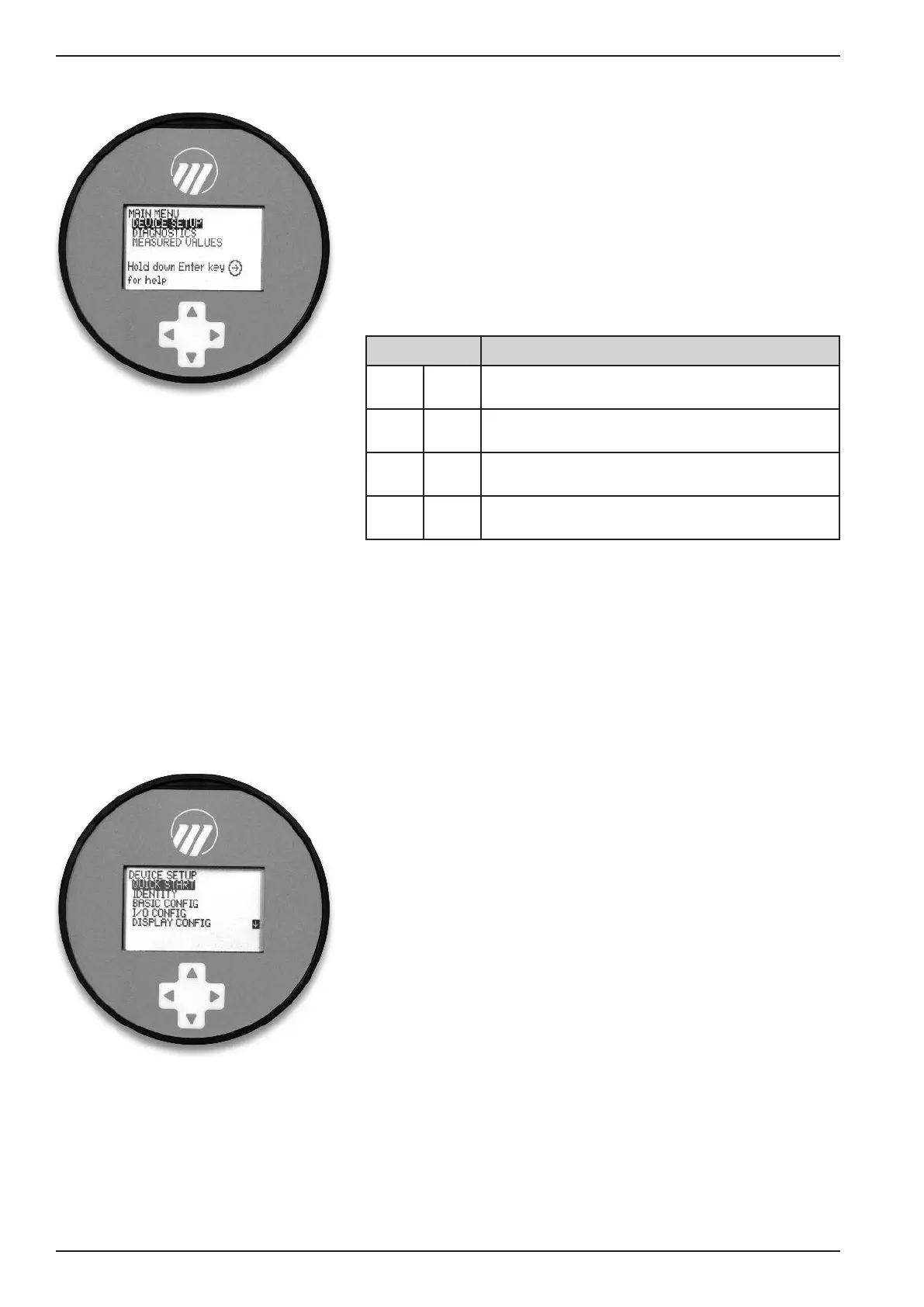
M
AIN MENU
Pressing any key on the Home Screen will present the Main
Menu, consisting of three basic menu labels shown in all
capital letters.
• DEVICE SETUP
• DIAGNOSTICS
• MEASURED VALUES
As shown, the reverse video represents a cursor identifying
the selected item, which will appear in reverse video on the
LCD. The actions of the keys at this point are:
NOTES: 1. Items and parameters that are shown in lower level menus
will depend on the Measurement Type chosen. Those para-
meter not applicable to the present Measurement Type will
be hidden.
2. Holding down the Enter key when the cursor is highlighted
over a parameter or menu will provide additional information
about that item.
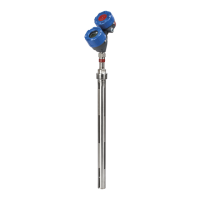
DEVICE SETUP
Choosing DEVICE SETUP from the MAIN MENU will
result in an LCD presentation as shown at left.
The small down arrow curser shown at the right hand side
of the screen is the indication that more items are available
below and can be accessed by pressing the DOWN key.
Section 2.6.5 shows the entire tree menu for the Model 700
DEVICE SETUP Menu.
DIAGNOSTICS
Refer to Section 3.3.4
MEASURED VALUES
Allows the user to scroll through all of the available
measured values for the measurement type chosen.
Push button Keystroke Action
▲
Up
No action as the cursor is already at the first
item in the MAIN MENU
▲
Down
Moves the cursor to DIAGNOSTICS
▲
Back
Moves back to HOME SCREEN, the level
above MAIN MENU
▲
Enter
Presents the selected item, DEVICE SETUP
24
BE 57-660 Eclipse Model 700 Guided Wave Radar Transmitter





 To Next Page