Operation Manual easyTone
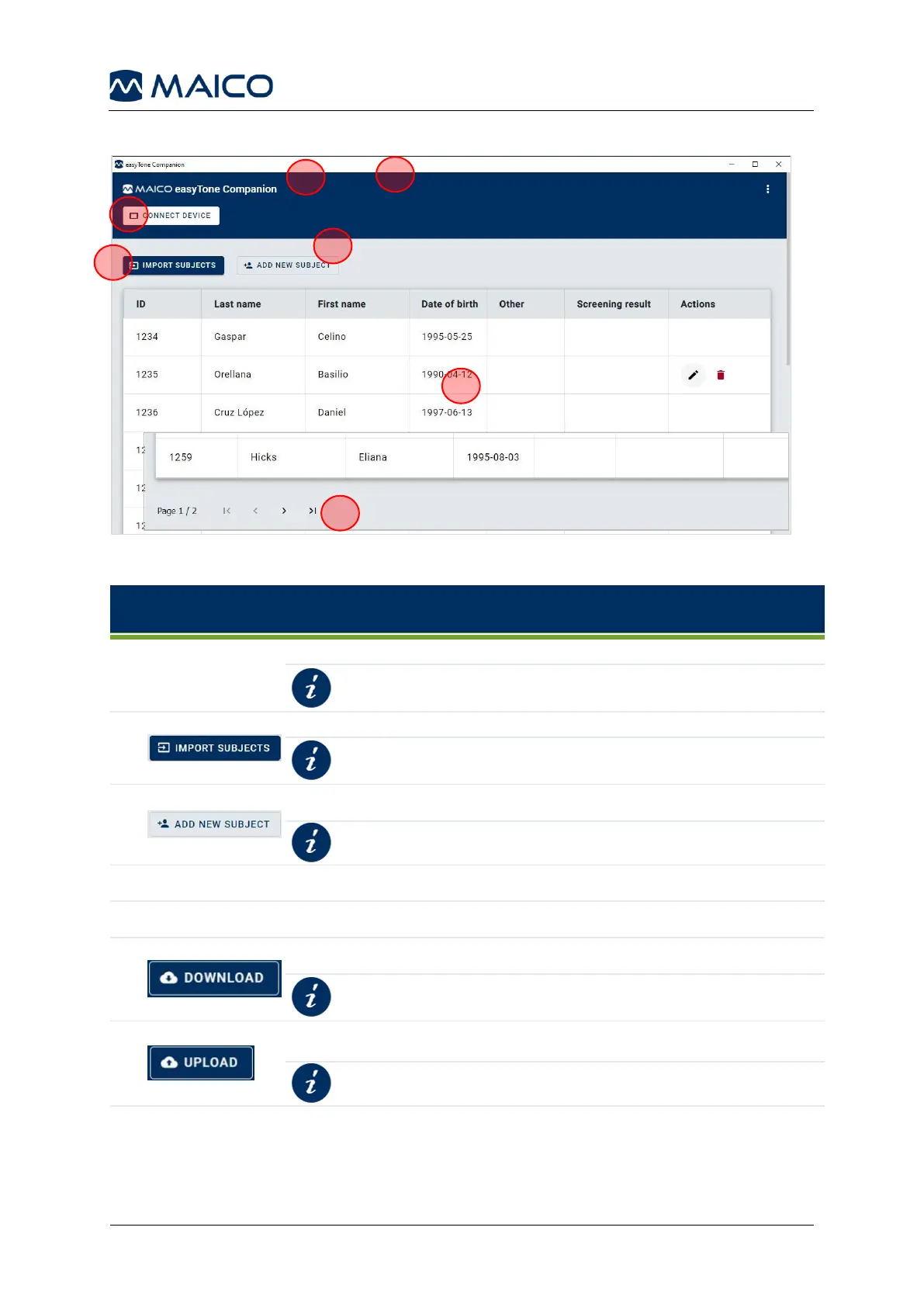
5.9.3 easyTone Companion Software – Screen Layout
Figure 33
Table 5
CONNECT DEVICE button or connected device (IP address)
Connecting the Tablet to the easyTone
Companion Software
Select to find subject file to import in the directory.
Import Subject to easyTone Companion
Software
Shows imported/created subjects.
To navigate to other subjects.
To download a Screening List from tablet.
Download Screening List to the easyTone
Companion Software
To upload the Screening List to the tablet.
Upload Screening List to Tablet


 To Next Page