EN
6
Instructions Guide
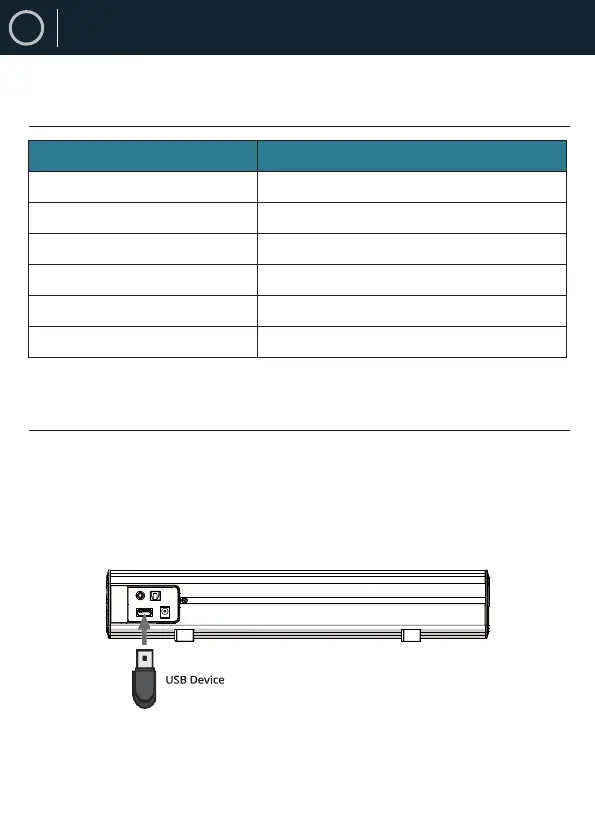
1. Connect your USB device to the USB jack (Ref.9) on the
unit.
2. Press the “MODE” button (Ref.13) on the remote, and the
LED indicator will be light blue.
3. Play music files from the USB device through the soundbar.
Mode Indicator Lights
Using the USB Input
State Indicator Lights
Power off Red
Optical mode Orange
USB mode Light Blue
AUX mode Green
Bluetooth ready Flashing blue
Bluetooth connected Blue
Remark:
(a) The maximum memory size of a USB sticker is 64GB.
(b) The USB sticker must be formatted into FAT32 before use.



 To Next Page