EN
7
Instructions Guide
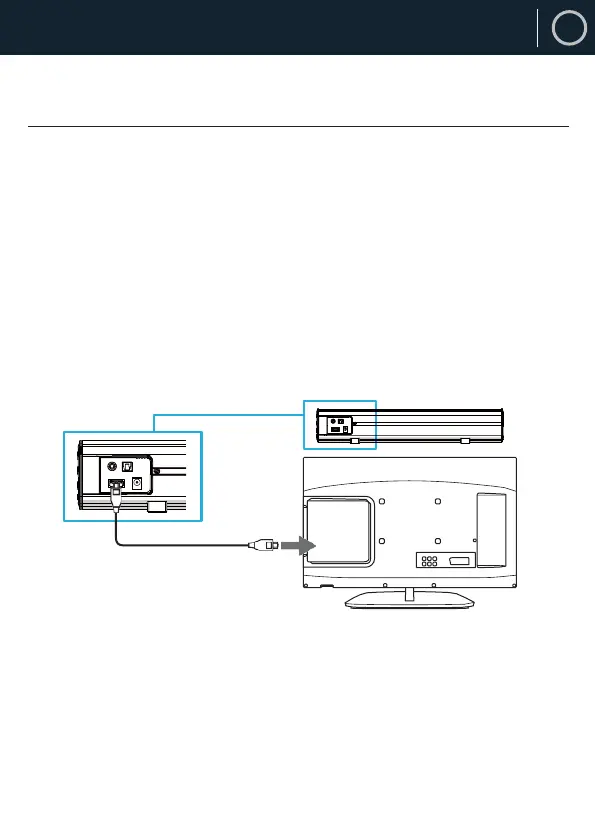
Using the OpticalInput
Rear view of the unit
OPTICAL cable
You will need: An audio source with an Optical Audio output and a
Digital Optical Audio cable (not included)
Connect the optical cable to the soundbar (Ref.10).
Press the OPTICAL button on the remote control or on the main unit
(Ref.4/Ref.13) to switch to Optical mode. The mode indicator LED
will turn ORANGE.
Using the native controls on your connected device, ensure the
audio settings are set to PCM OT Optical Audio.



 To Next Page