13
How to upload my program to the Makeblock robot with
mBlock
This article applies to: mBot, mBot Ranger, Starter, Ultimate, Ultimate 2.0
Devices required: PC (here we use windows); Makeblock robot kit (here we use mBot as an
example; USB cable
Step 1
Refer to this FAQ to connect your Makeblock robot to mBlock
Step 2
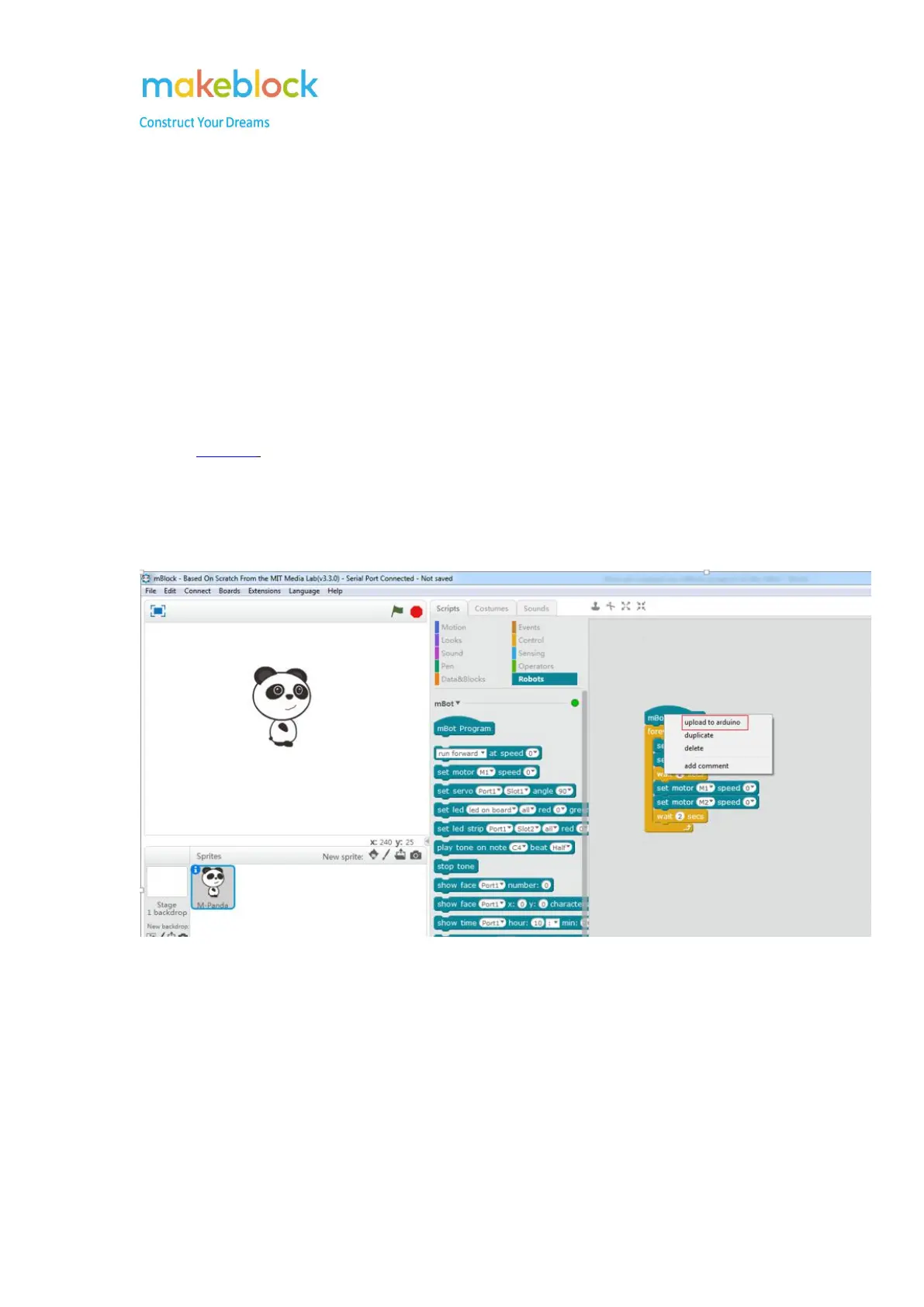
Edit your own program, then right click on the program and select upload to Arduino.
Step 3
You can see following page and click on Upload to Arduino.



 To Next Page