10
How to upgrade firmware for Makeblock robot with mBlock
This article applies to: mBot, mBot Ranger, Starter, Ultimate, Ultimate 2.0
Devices required: PC (here we use windows); Makeblock robot kit (here we use mBot as an
example); USB cable
Step 1
Refer to FAQ to connect your Makeblock robot to mBlock
Step 2
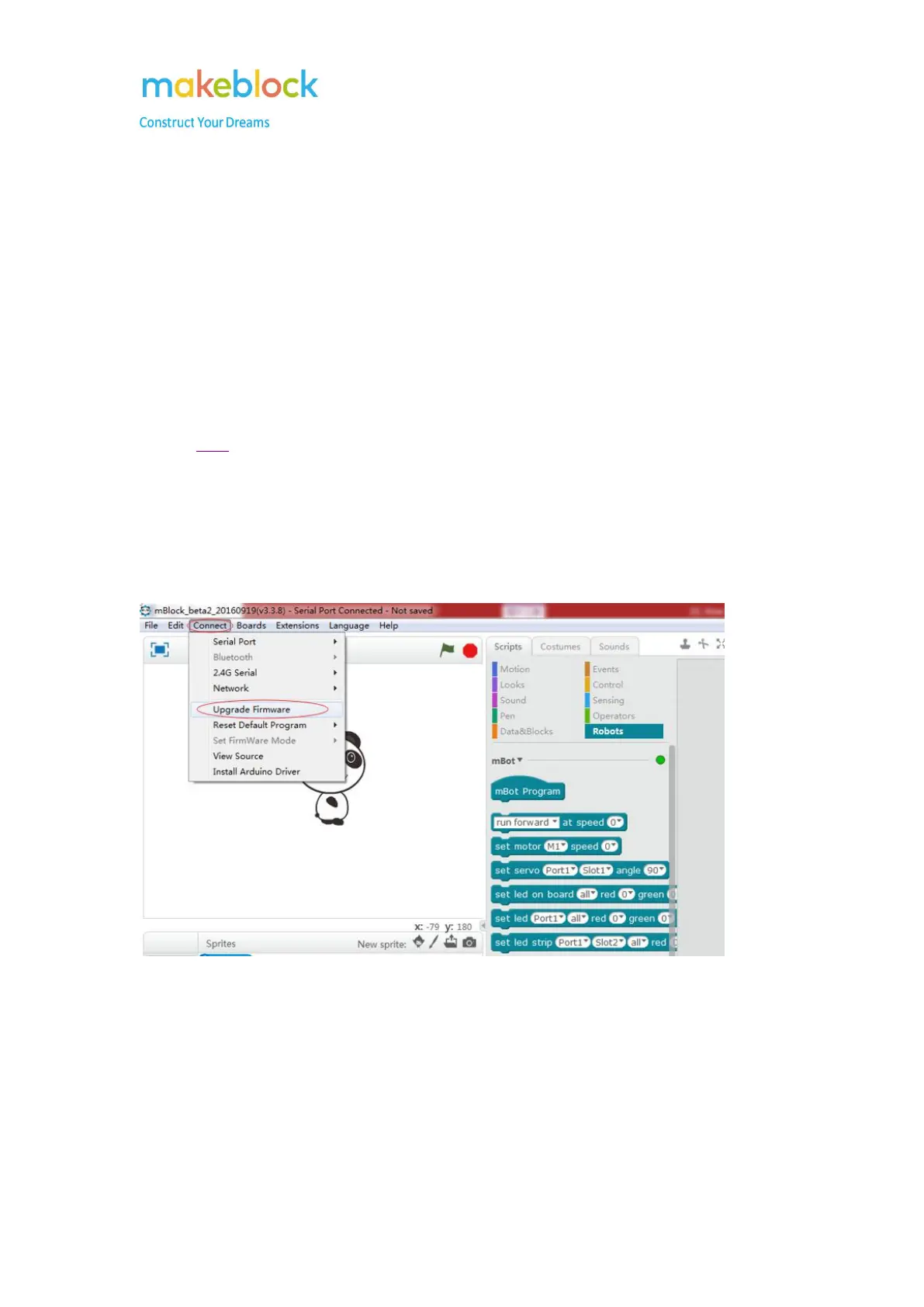
Go to Connect->Upgrade Firmware, wait until it says Upload Finish.
Ps: online debug only works after firmware update.
Note:
what should I do if firmware upgrade fails and shows below picture?



 To Next Page