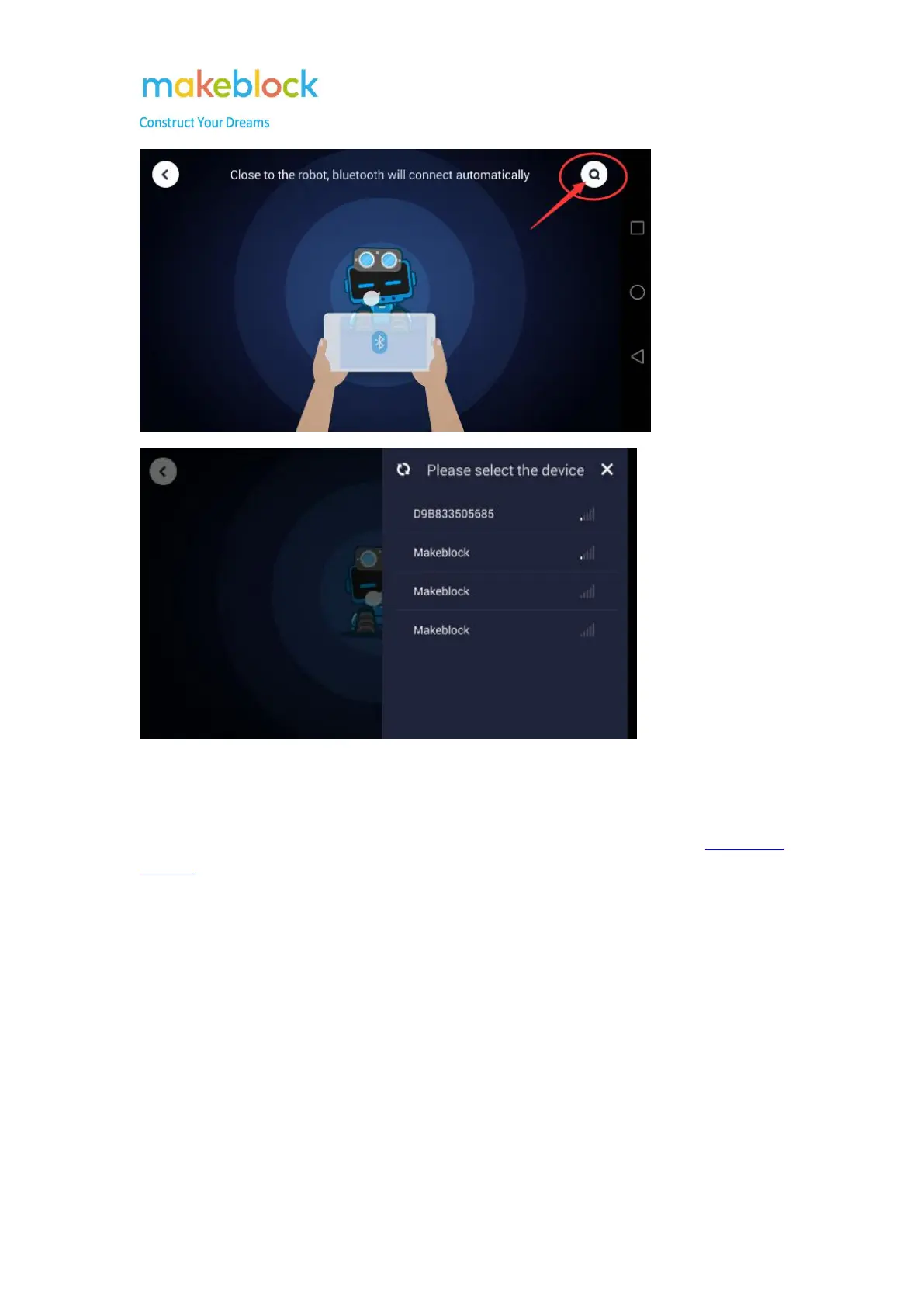
55
Note:
Sometimes you may see the screen says “synchronization fails”, which means the Starter current
firmware is not compatible with Makeblock App, please connect it to mBlock 3 and reset default
program.
III. What is the troubleshooting if my Starter fails to connect Makeblock App through
Bluetooth?
If you tried above steps to connect Bluetooth but failed, please follow below chart to check step by
step.



 To Next Page