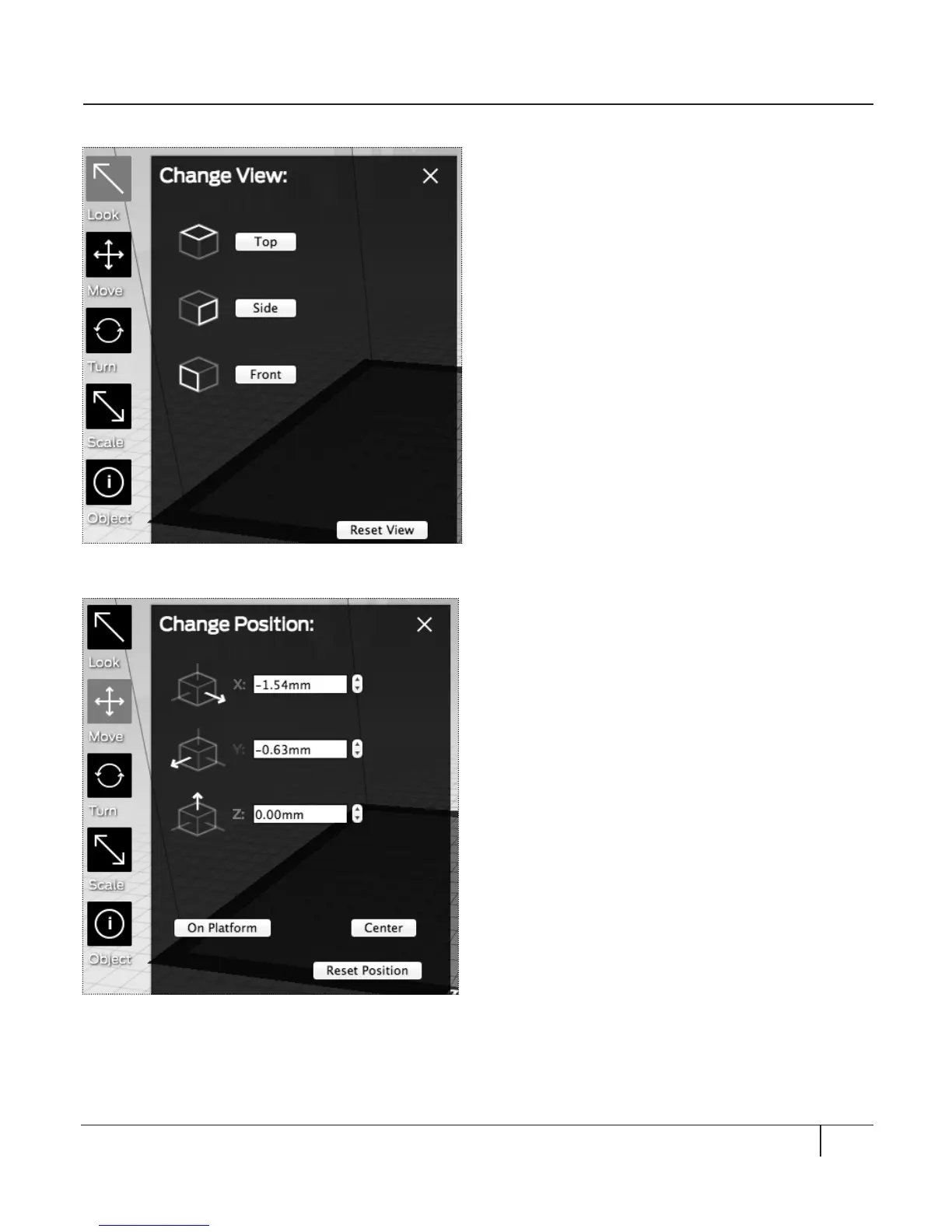
LOOK [Fig. 7.3]
Click the Look button or press the L key to
enter Look mode. In Look mode, you can:
• Le-click and drag the mouse to rotate
your view of the object.
• Hold down shi, le-click, and drag the
mouse to move your view of the object.
• Click on the Look button again or press
the L key to view the Change View submenu.
Top: View the object from the top.
Side: View the object from the side.
Front: Default view. View the object from
the front side.
Reset View: Returns to the default view.
MOVE [Fig. 7.4]
Click the Move button or press the M key to
enter Move mode. In Move mode, you can:
• Le-click and drag the mouse to move
the object.
• Hold down shi, le-click, and drag the
mouse up and down.
• Click the Move button again or press the M
key to view the Change Position submenu.
X: Specify position le and right, in millimeters.
Y: Specify position forward and backward,
in millimeters.
Z: Specify position up and down, in millimeters.
On Platform: Moves the object to a Z
position of 0.00mm.
Center: Centers the object on the build plate.
Reset Position: Returns the object to the
last saved position on the build plate.
49MAKERWARE
EXPLORING MAKERWARE CONTINUED
Fig. 7. 3
Fig. 7. 4





 To Next Page