Maximum size. Changes the scale of the
object to the maximum that can be printed
by the MakerBot Replicator 2X.
Reset Scale. Resets the object to the last
saved scale.
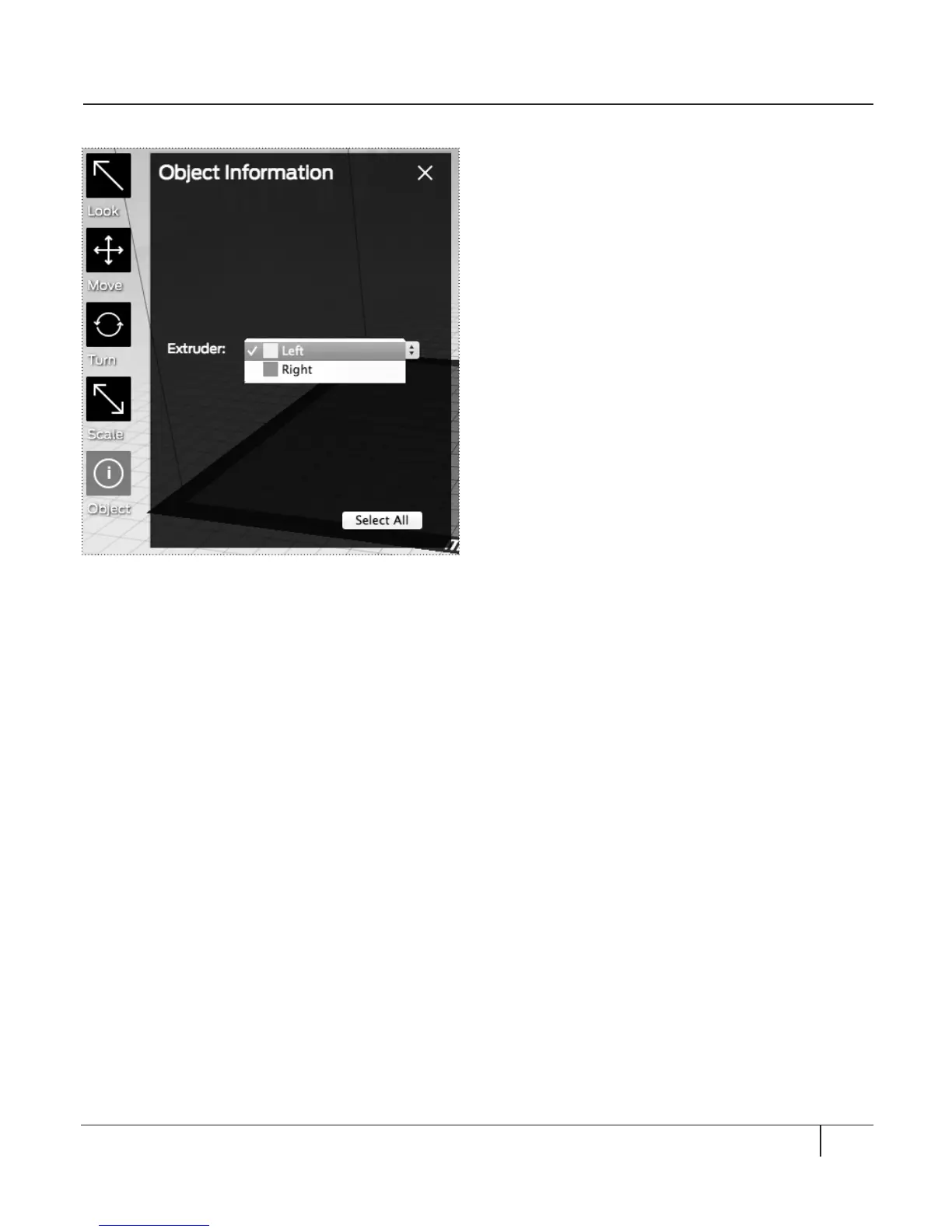
OBJECT [Fig. 7.7]
Click twice to open the Object Information
submenu. The Object Information submenu
allows you to choose which extruder will print
each object on your build plate. For details on
printing objects with dual extrusion, see the
chapter on Basic Printing.
ADD
Click this button to add an object to your
build plate. When you select the Add button,
you can browse for STL and OBJ files on
your local computer. You can add as many
objects as you can fit on the plate.
MAKE
Click this button to open the Make dialog,
where you can specify print resolution and
other printing options and save instructions for
your MakerBot Replicator 2X to an SD card. For
details on the Make dialog, see the chapters on
Intermediate and Advanced Printing.
SAVE
Allows you to save the current plate as a file
for later use.
HELP
Opens a guide to MakerWare’s basic functions.
STATUS BAR
Displays the status of your connection to
your MakerBot Replicator 2X.
EXPLORING MAKERWARE CONTINUED
51MAKERWARE
Fig. 7. 7





 To Next Page