MAKERBOT DESKTOP35
PREPARING TO PRINT
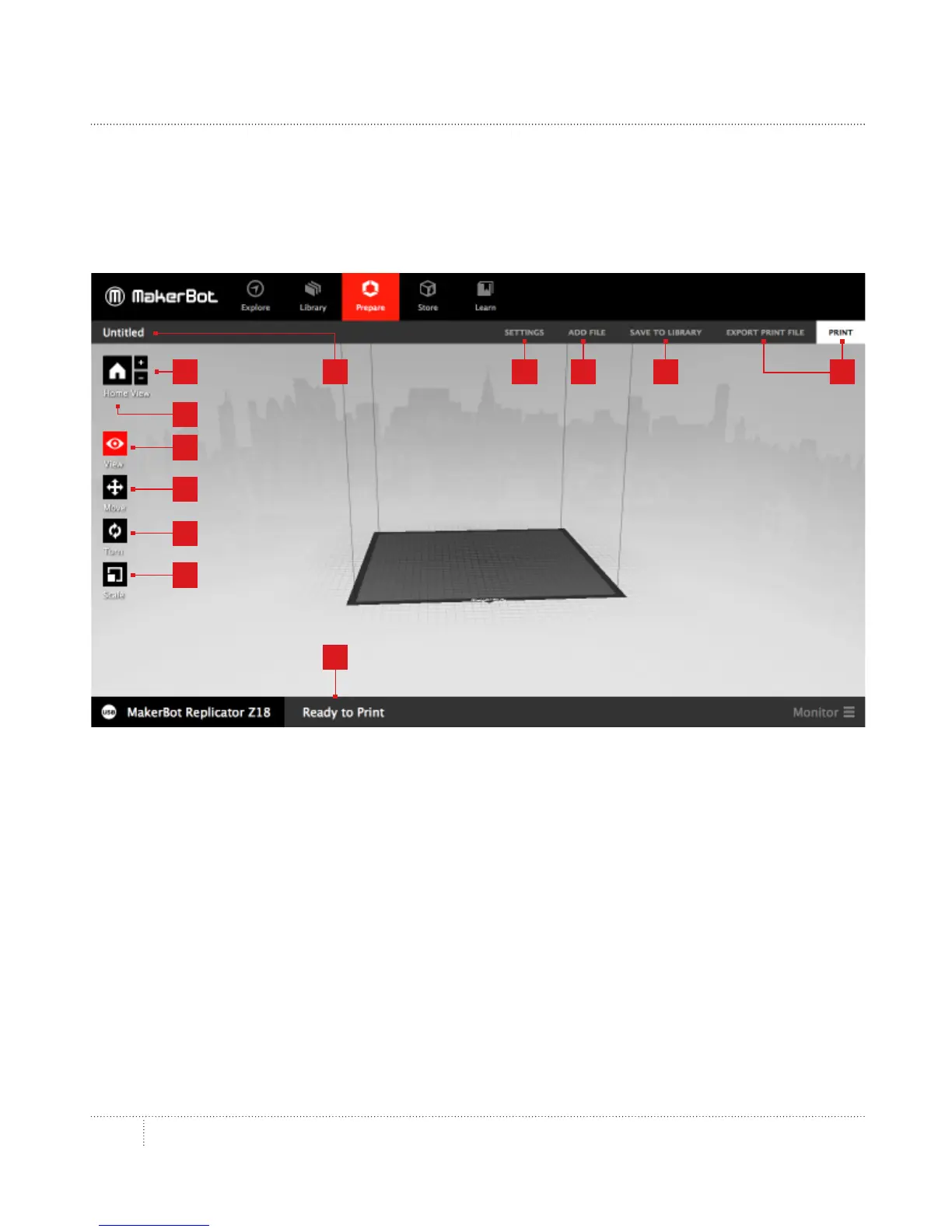
You should now see your model or models at the center of a gray rectangle. This is MakerBot
Desktop’s representation of your 3D printer’s build plate. Let’s take a look at the other
features visible in the Prepare view.
1. +/–
• • Click the Plus and Minus buttons to zoom in and out.
• • You can also zoom using a track pad or the scroll wheel on your mouse.
2. Home
• • Click the Home button to reset MakerBot Desktop to the default view of the build plate.
•
3. View
• • Click the View button or press the V key to go into view mode.
• • In View mode, click and drag with your mouse to rotate the build plate.
• • In View mode, hold the Shi key and click and drag with your mouse to pan.
• • Click the View button again to open the Change View submenu and access preset views.
8
12
3
1
4
5
6
9 10 117
2



 To Next Page