THE CONTROL PANEL44
2 START PRINT
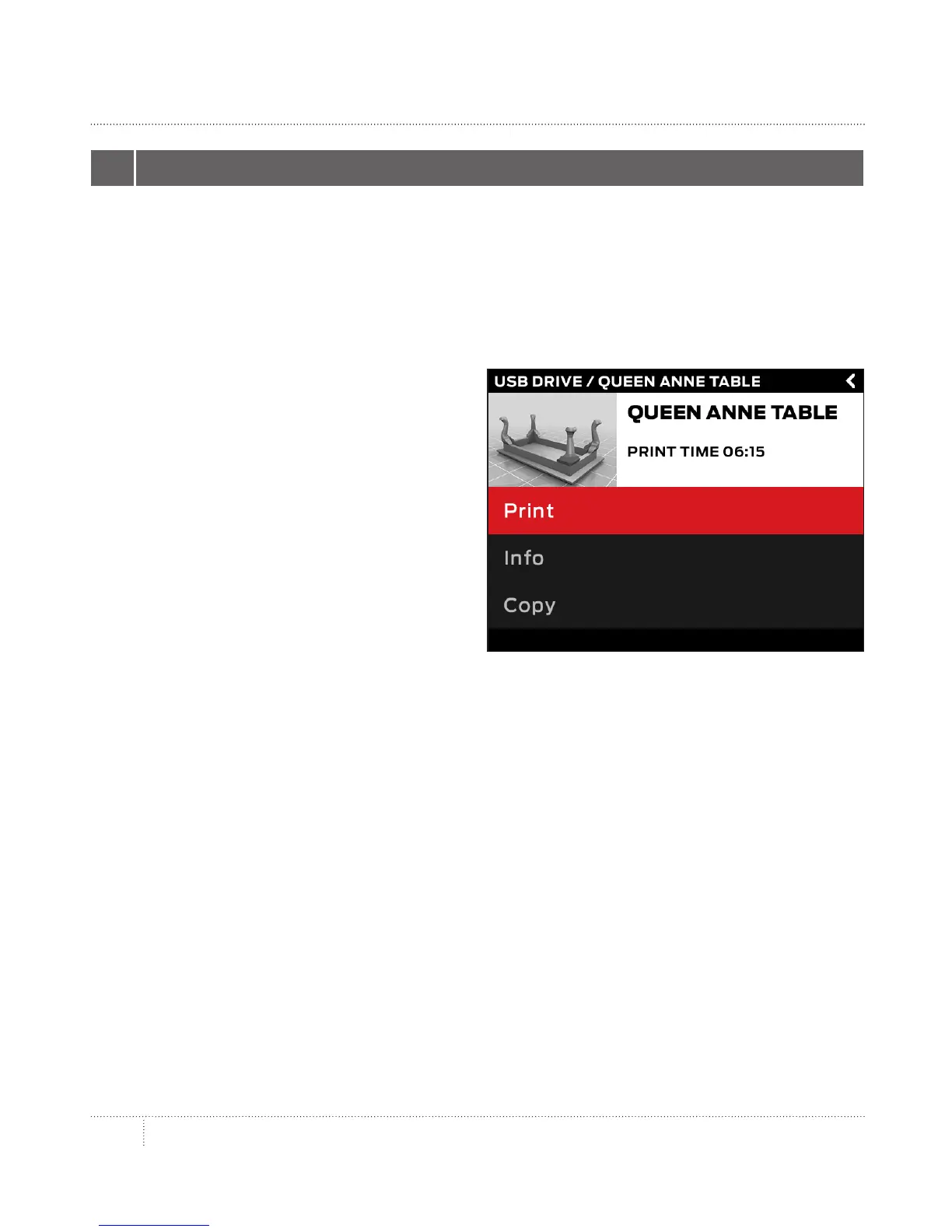
• • If you select a file from the USB drive or internal storage, the control panel will
• display the file screen.
• • If you select something from your MakerBot Cloud Library, you will see a list of all
• the layouts associated with the file. Scroll through the available layouts and select
• one in order to go to the file screen.
•
From the file screen, choose what to do with
the part or layout:
• • Select Print to start printing the file.
• • Select Info for more information
• on the part or layout. Turn the dial
• to toggle between three
• information screens.
• • Select Copy to copy a file to internal
• storage or to an attached USB drive.
PRINT


 To Next Page