REFERENCE
REFERENCE
10
11
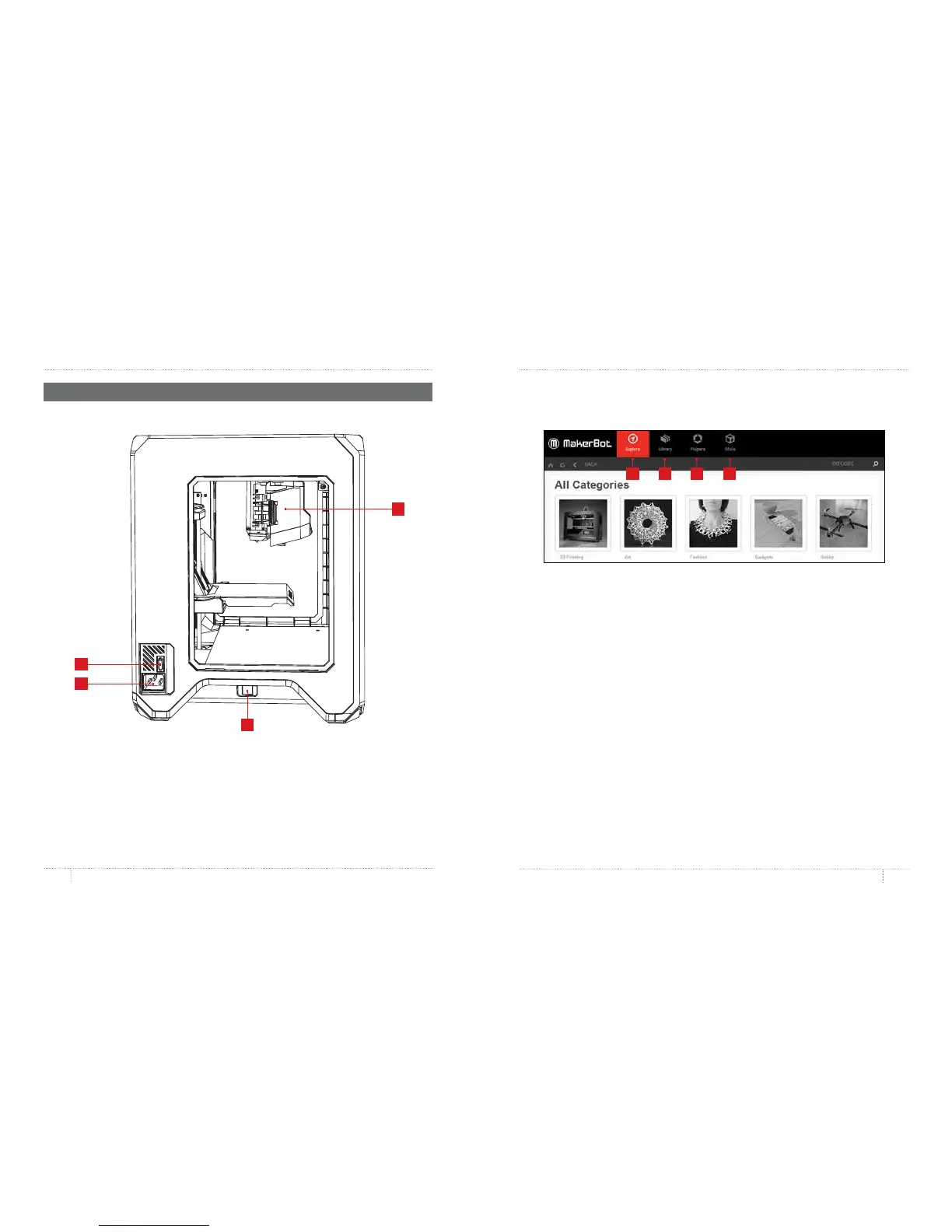
MakerBot Desktop is a free app for preparing 3D prints and managing your 3D content.
It consist of four sections: Explore, Library, Prepare, and Store.
1. Explore gives you access to MakerBot Thingiverse
®
and the hundreds of thousands of
3D printable objects designed by the Thingiverse community. Use Explore to search
Thingiverse for inspiration or for new things to print, then save them to your collections or
prepare them for printing.
2. Library gives you access to your MakerBot Cloud Library and helps you organize your
3D model files. Use it to access things you’ve collected on Thingiverse or bought from the
MakerBot Digital Store as well as your own models.
3. Prepare is where you will turn 3D models into print files. Bring 3D models into the
Prepare screen to manipulate them on a virtual build plate. Then specify print options
and send print files to your MakerBot Replicator Mini.
4. Store lets you buy print files for premium 3D models. The MakerBot Digital Store
sells original, fun, and collectible digital content specifically designed for MakerBot
Replicator Desktop 3D Printers. When you buy a model from the MakerBot Digital Store,
a print file for your MakerBot Replicator Mini will be added to your MakerBot Cloud Library.
Use Store and Explore to find 3D models, Library to keep them organized, and Prepare
to send them to your MakerBot Replicator Mini for printing.
ABOUT MAKERBOT DESKTOP
1 2 3 4
MAKERBOT REPLICATOR MINI SIDE VIEW
7. Power Input Port
9. Extruder Assembly
6. Power Switch
8. USB Port
DIAGRAMS
9
6
7
8



 To Next Page