E 300 Operator Interface
M&R Printing Equipment, Inc. - Glen Ellyn, Illinois
43
(CCW) operation.
When selected for clockwise (CW) operation, the
L.E.D. will display a red indication.
DOUBLE INDEX -
When ever the system Operator selects the index
system to operate in the “DOUBLE INDEX” mode of
operation in the “OPTIONS” menu, this L.E.D. will
display a green indication.
SERVO NOT READY -
When ever this indicator displays a red L.E.D. indi-
cation, it means that the indexer servo drive system
is not operating. This L.E.D. will also illuminate for a
few seconds after the “EMERGENCY STOP” push
button has been activated, or when ever the
“POWER ON” switch is turned “ON”. (Refer to the
illustration below)
OPERATIONAL CONTROL & STATUS KEYS -
MAIN SCREEN
The first screen which is displayed is the MAIN
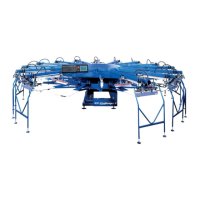
SCREEN. The L.C.D window will display a graphic
representation of the M&R Challenger Series II press.
In the lower right corner of the L.C.D. window, the
screen will display the program reference information
for the program currently installed in the press. (See
Figure 3 above)
COUNTERS -
The first command key on the left is “COUNTERS”.
To access “COUNTERS”, press the button under
“COUNTERS” one time.
The “COUNTERS” information menu is displayed in
the L.C.D. window, and the green L.E.D. indicator
above the “COUNTERS” button illuminates. The
L.C.D. window displays “Shift Counter”, “Job
Counter” and “Total Counter”. Immediately below
is a graduated scale starting at “0” on the left and
increasing to “120” on the right. This scale indicates
the current production rate and is expressed in
“Dozens per hour”. As the press operates, you will
note that the scale will gradually fill in from the left to
the right to indicate the current production speed.
Figure 3
PLC: CH18R1
v.100102
MTA: CH161


 To Next Page
 Loading...