Need help?
Do you have a question about the M&R i-Image S and is the answer not in the manual?
Details management's duties for safe operation and adherence to standards.
Outlines duties for employees working on or near equipment for safe operation and maintenance.
Explains how to identify equipment information for service and parts requests.
Specifies the intended uses for various types of M&R equipment.
Details the limited warranty terms and conditions, including exclusions for misuse.
Covers initial inspection and installation procedures for the unit.
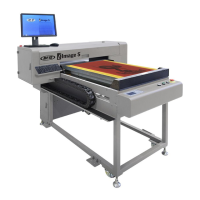
Overview of the i-Image S printer, its ink system, standby mode, and main components.
Identifies and describes the functions of buttons and displays on the main control panel.
Describes the function and location of the Tri-Sync Bypass Switch.
Provides instructions for the initial startup procedure of the printer.
Details the procedure for safely shutting down the printer.
Explains the purpose and basic functions of the Printer Control Software (PCS).
Introduces the Print Preview Software (PPS) for processing art files.
Guide to saving Photoshop files in DCS 2.0 EPS format for ColorPRINT.
Instructions for using spot colors in Illustrator for RIP compatibility.
Details the ColorPRINT RIP software for processing art files.
Provides a log for tracking maintenance procedures based on a 40-hour work week.
Differentiates parts lists and electrical specifications for CE (50 Hz) and UL (60 Hz) equipment.
Lists part numbers for key electrical components like main boards, filters, and power supplies.
 General
| Brand | M&R |
|---|---|
| Model | i-Image S |
| Category | Industrial Equipment |
| Language | English |

 To Next Page