M&R Companies 440 Medinah Rd. Roselle, IL 60172 USA 17
Tel: +630-858-6101 Fax: +630-858-6134 www.mrprint.com | store.mrprint.com
5.3 Tri-Sync Bypass Switch
When the Switch (1), which is located under the main control panel is switched to the on position, the Tri-Sync
unit is bypassed.
5.4 Startup
A service technician will turn ON the Main Power on the rear of the unit during the installation and startup.
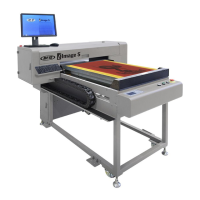
Note: Only personnel trained on the machine should operate the i-Image S.
IMPORTANT: Before printing, always do a nozzle check. See Printing Nozzle Checks in the
Daily/Scheduled Maintenance section of this manual.
It is recommended that the machine remain powered 'ON' during the work week, even overnight, and fully shut
down only for extended periods of five or more days. This increases the longevity of the valves and ink delivery
system.
1. Turn the Printhead Valve Lever (1) to the down vertical position.
2. Press the Power On button (2) to turn the printer on.


 To Next Page
 Loading...