11
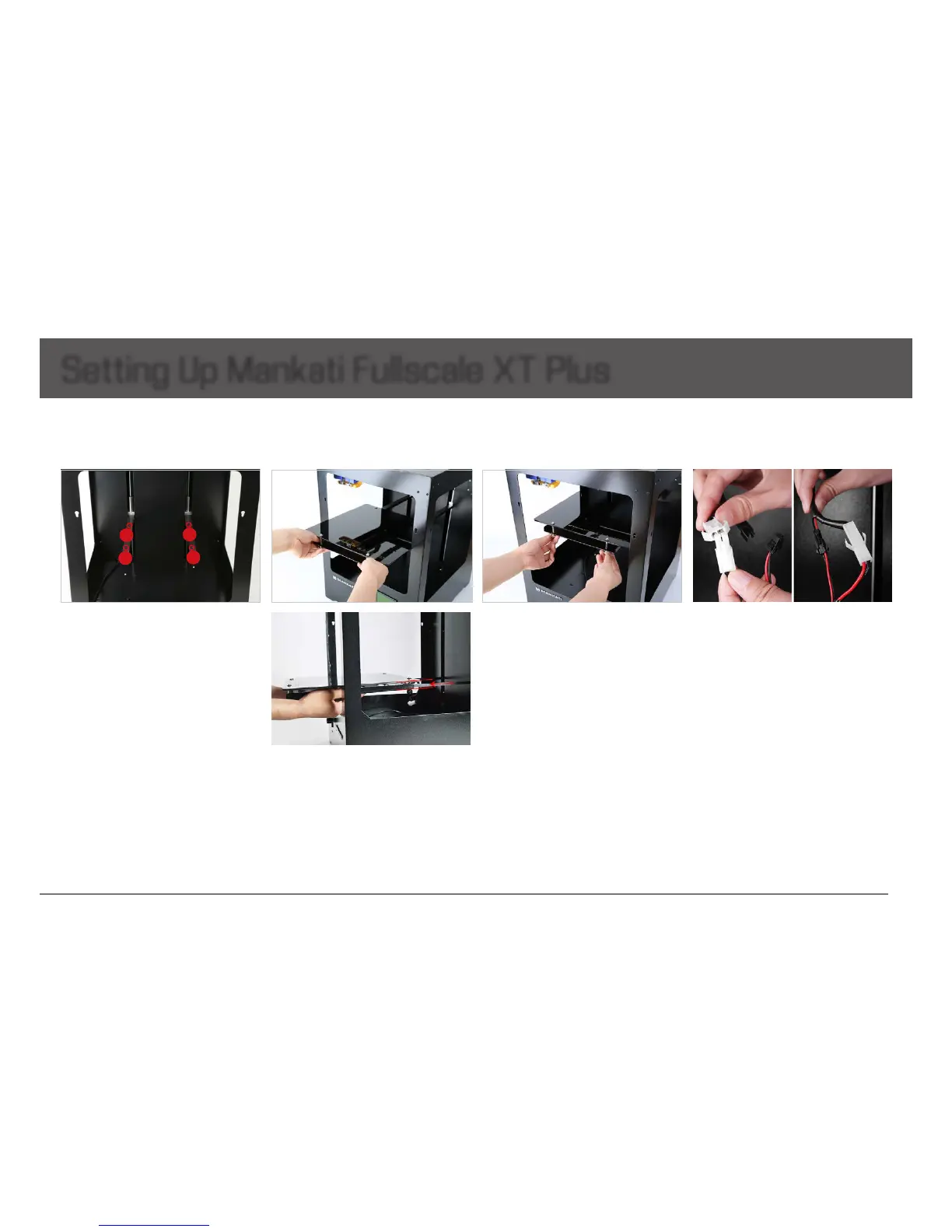
5) Connect the power wire and data cable
ofplatformwiththeconnectors.
Caution:
Make sure the connection fully.
Otherwise, it can cause the platform
heating problems or connectors over-
heated.
6)Done.
Setting Up Mankati Fullscale XT Plus
1. Install the Build Plate
1) Turn on your Fullscale XT Plus, enter
“Prepare>Moveaxis>Move1mm>
MoveZ”,lowerZaxisalittle(e.g.,30mm)
to avoid collision of nozzle and build plate
duringinstallation.
3) Take out the nuts
⑥
and screwdriver
fromthetoolboxtoxtheplatformrmly.
Note:
Do not screw the screws too tight!
Or your build plate glass maybe cracked.
4) After installing the plate, please tighten
the 4 screws under it properly to lower it
and avoid knocking the extruders in the
platelevelingoperation.
2) Insert the build plate’s holder into the
middleofplate.
Note:
The wire connection side should be
put toward your machine.
1
2
3
4


 To Next Page