43
Q: Problem with first layer printing
Q: The filament doesn't stick onto the build plate.
- A1: The gap between nozzle and build plate is too big.
- A2:The build plate has not been leveled yet.
- A3: Kapton tape has not been sticked on the build plate yet;
or the non-sticky top layer of the Kapton tape is not removed.
- A4: The first layer’s height is too small, recommended setting as
≥
0.2
Q: Little filament sticks onto the build plate.
A: The gap between nozzle and build plate too small which may cause the nozzle
clogged.
Q: No filament output from the nozzle.
A: The filament has not entered into the end of the nozzle yet when you feed the
filament.
Printing Problems
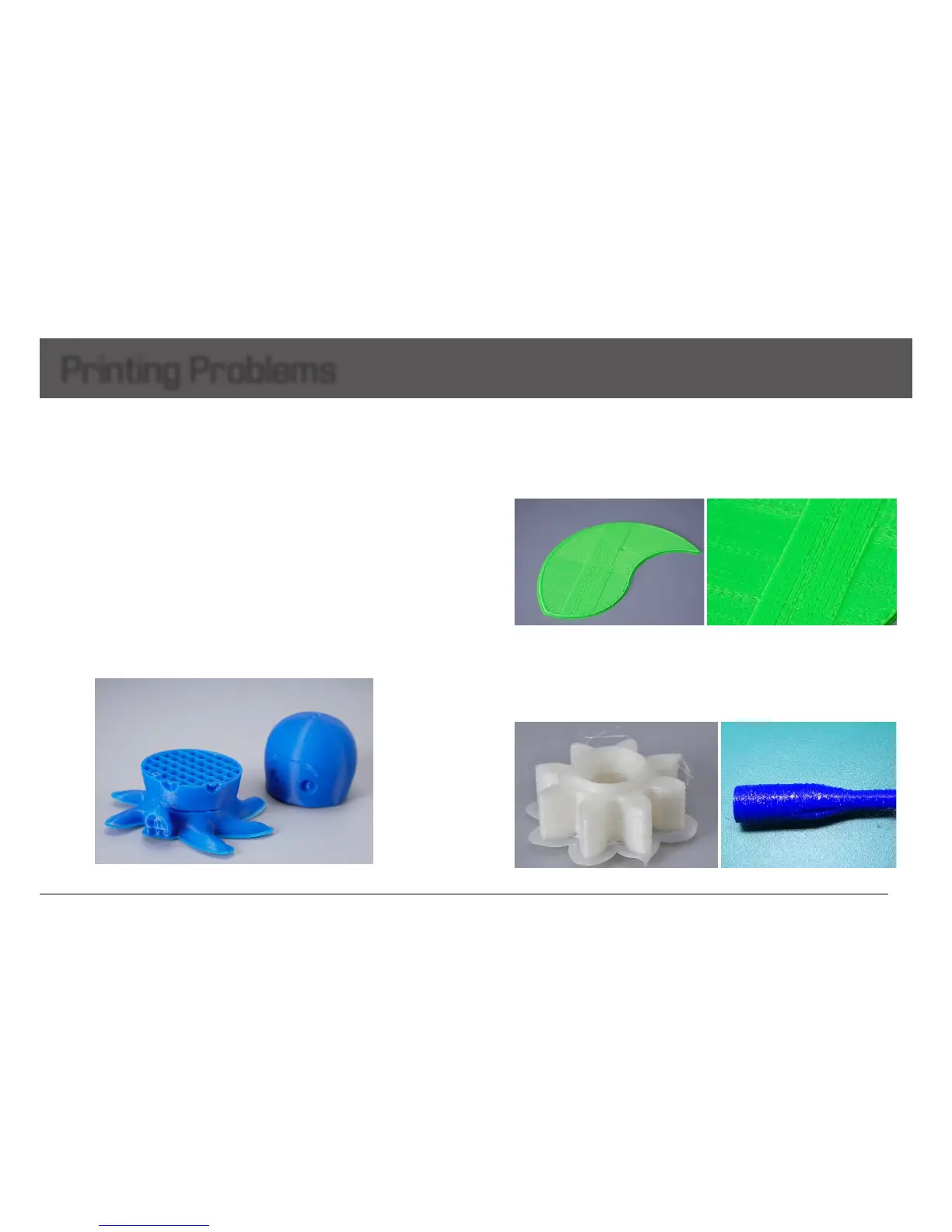
Q: The edge is lifted or warped, or the print cracked while printing with ABS filament
Please keep the build plate heated continuously; Change a new Kapton
tape; Slow down the printing speed of first layer; Use the enclosure plate to keep
the constant temperature while printing; Avoid air condition’s blowing directly; Inside
ventilation should not be so strong.
Q: Model surface is loose with crack
A: The layer thickness is too big; Or printing speed is too high( the nozzle temperature needs
to do responded balance to have a faster printing speed); Or the temperature is too low; Or
the wall thickness is too think; Or 3D model is not completely closed solid; Or the feeding
motor’s fixing screw is too loose; Or wrong choice of filament diameter; Or filament quality
is poor; Or the filament gets stuck and could not be fed smoothly.
Q: Model has flow line


 To Next Page