34
Print from SD Card
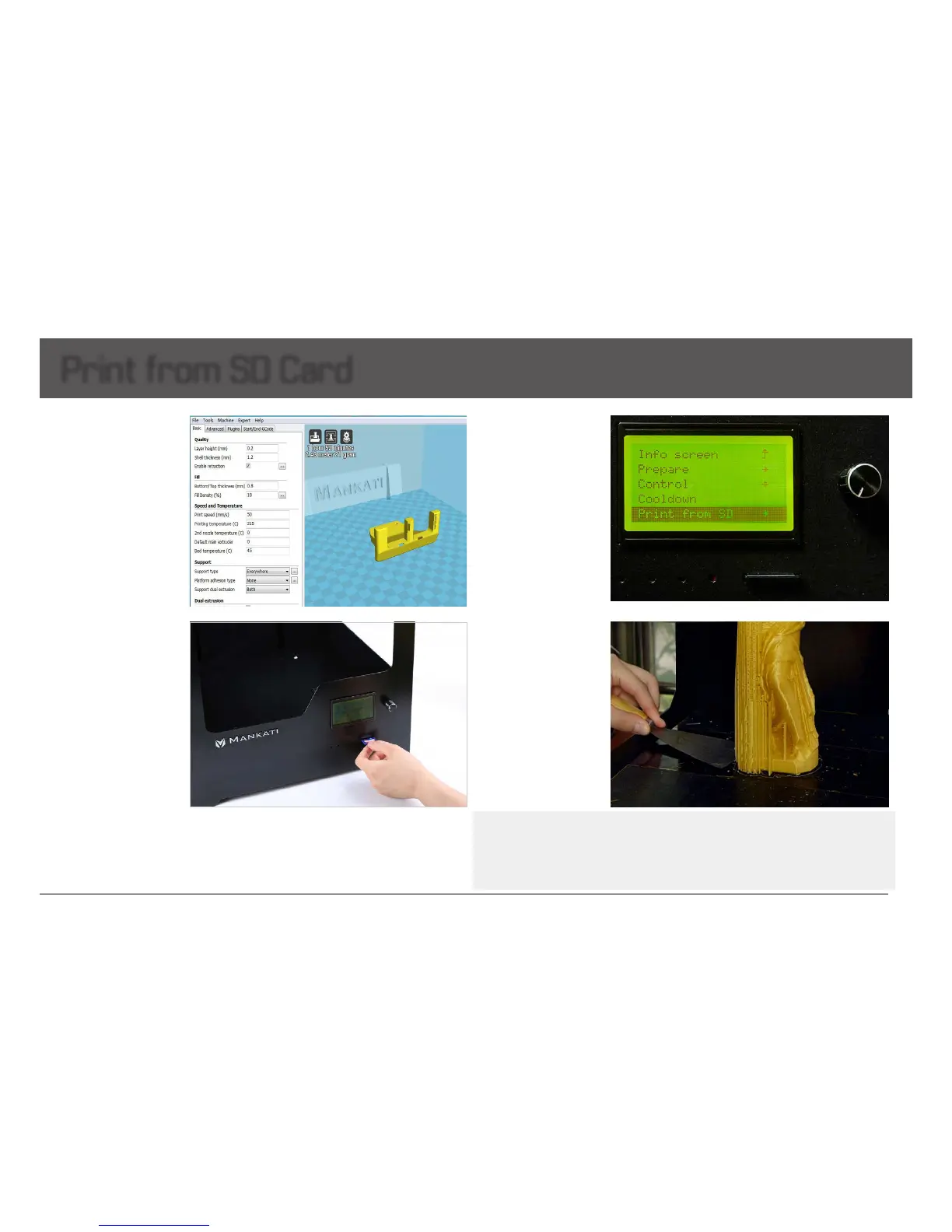
1. Importthe.stlformat
modellesinourslicing
software(MankatiUM),and
outputtheGcodelesinthe
SDcard.
Note: It is better to use the
default settings for the first
run.
3. Choose “Print from SD
card”,thenselectyour
Gcodele.
4. When your printing
nished,thebuildplatewill
move down and be heated
to 50
℃
automatically for
taking your model off more
easily.
Use shovel to take it out
gently to avoid the damage
of the heat bed glass and
yourmodel.
Note: If the model is difficult to be off, you can raise the build plate temperature to 60. Too much
power pulling the model will cause damage to the glass surface! This kind of damage during use is NOT
covered by the warranty of “free parts replacement service”. Please do the removing carefully!!
Warning: Do not touch the nozzle while it is totally cooled down. Wait until the actual temperature on
LCD is lower than 30 degrees.
2. Insert the SD card into
MankatiFullscaleXTPlus.


 To Next Page