39
Simple version Advanced version Information
ENGLISHDEUTSCHFRANÇAISITALIANOESPAÑOLNEDERLANDSSVENSKA
Basic version
Playing a network audio
Listening to Napster
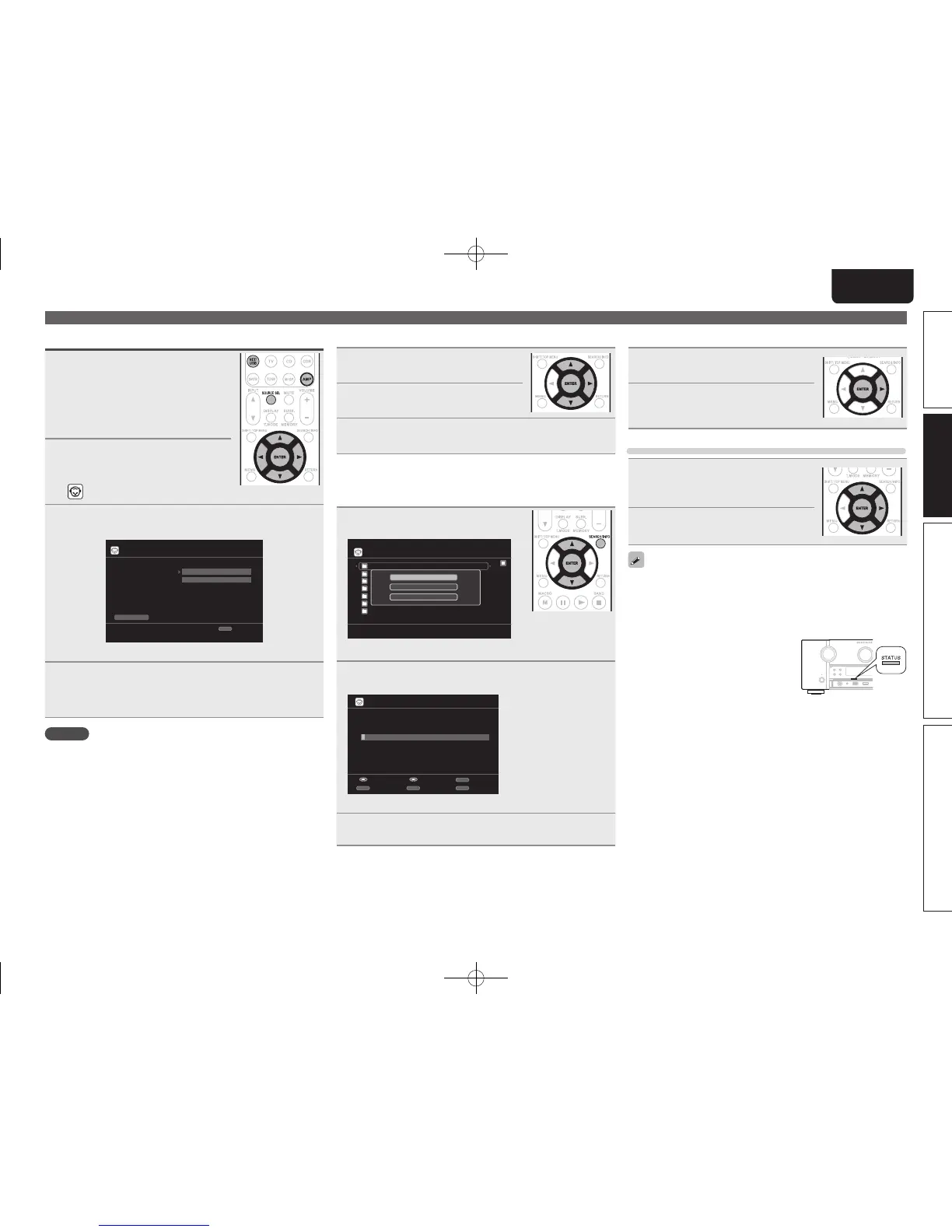
1
Prepare for playback.
q Check the network environment,
then turn on this unit’s power
(vpage24 “Connecting to a home
network (LAN)”).
w If settings are required, make the
“Network Connecting” (vpage81).
2
Press AMP and then press
SOURCE SEL to display the
Source Select menu, then select
(vpage 25).
3
Press NET/USB and then use ui p to input
“Username” and “Password”.
Napster Account
OK
Enter Username
Username
Password
RETURN
Cancel
• For character input, see page 65.
4
After inputting the “Username” and “Password”,
select “OK”, then press ENTER.
If the “Username” and “Password” match, the top menu for
Napster is displayed.
NOTE
• The password should be no longer than 99 characters.
• Press RETURN to cancel the input. When “Cancel input?” is
displayed, select “Yes”, then press ENTER.
n Searching from Napster menu
1
Use ui to select search item or
folder, then press ENTER or p.
2
Repeat step 1 until the track is
displayed.
3
Use ui to select the track item, then press ENTER
or p.
n Entering a character search for the track you
want to listen to
1
Press SEARCH/INFO.
My Napster Library
Top 100s
New Releases
Radio
Napster Playlists
E
Staff Picks
[1/8]
Napster
Search by Artist
Search by Albums
Search by Track
• You can search by artist name, album name or track name.
2
Use ui to select the search item, then press ENTER.
The search display appears.
Enter Artist Name
Search by Artist
SubmitInput
SEARCH
Keyboard
INSERT
Insert
DELETE
Delete
RETURN
Cancel
• For character input, see page 65.
3
Input the characters, then press ENTER.
n Registering tracks in my Napster library
1
Press p while the track you wish
to register is playing.
2
Select “Add to my library”, then
press ENTER or p.
The track is entered in the Library.
Listening to tracks registered in my Napster library
1
Use ui to select “My Napster
Library”, then press ENTER or
p.
2
Use ui to select the information
or track, then press ENTER.
• To play back compressed audio with extended bass or treble
reproduction, we recommend playback in M-DAX mode (vpage76).
The default setting is “OFF”.
• You can specify the duration of the on-screen display to be displayed
(default: 30 sec) at menu “NET/USB” (vpage85). Press uio p
to return to the original screen.
• Use
STATUS to switch between
displaying the title name, artist name or
album name.
1.AV7005U_ENG.indd 39 2010/08/23 18:32:41





 To Next Page