54
ENGLISH DEUTSCH FRANÇAIS ITALIANO ESPAÑOL NEDERLANDS SVENSKA
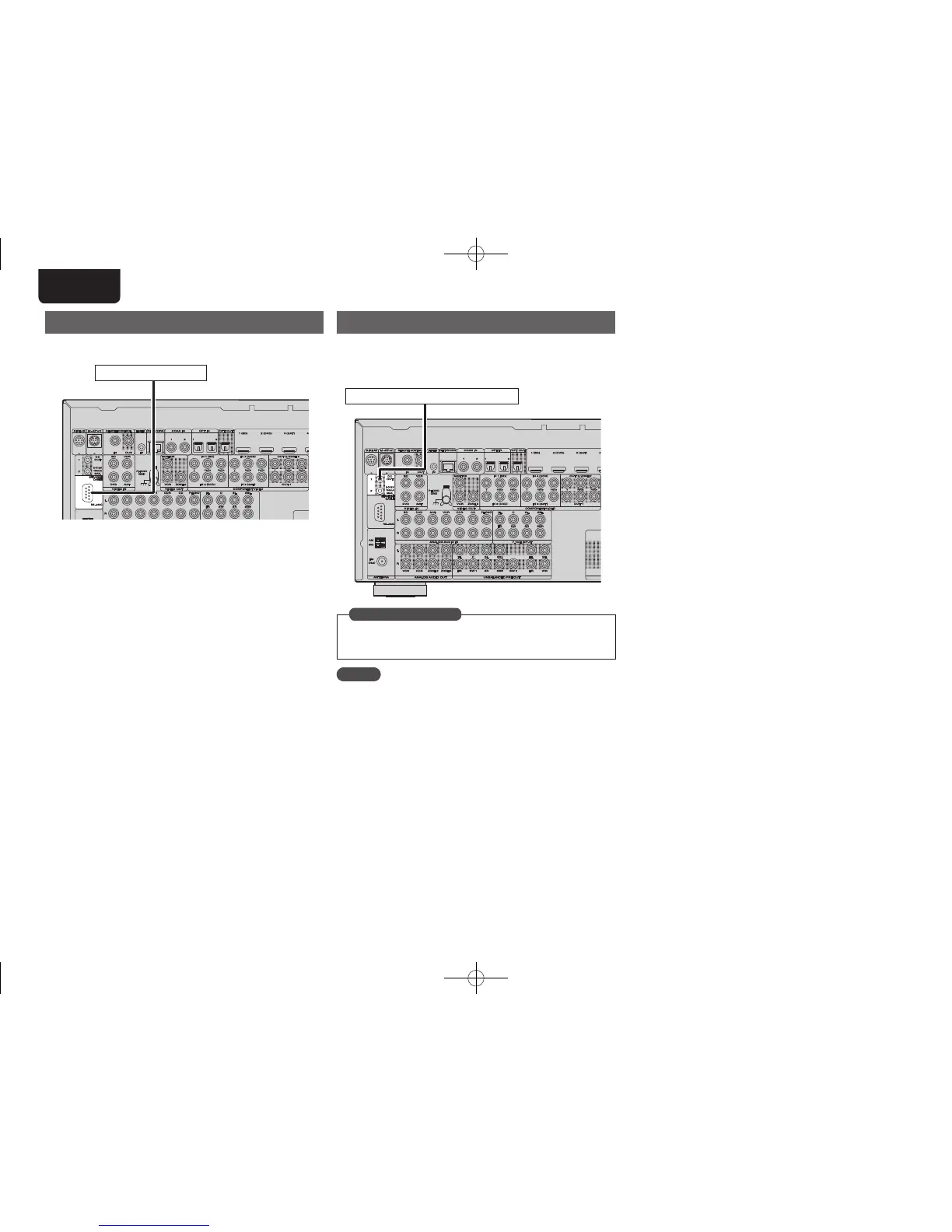
RS-232C connector
When you connect an external control device, you can control this unit
with the external control device.
External serial controller
Perform the operation below beforehand.
q Turn on the power of this unit.
w Turn off the power of this unit from the external controller.
e Check that the unit is in the standby mode.
DC OUT (TRIGGER OUT) jacks
When a device with DC IN jack is connected, the connected device’s
power on/standby can be controlled through linked operation to this
unit.
The DC OUT jack outputs a maximum 12 V/150 mA electrical signal.
12 V/150 mA trigger-compatible device
Set to change the conditions for linked operation via the DC OUT
1 or 2 jack.
“Trigger Out 1” or “Trigger Out 2” (vpage85)
in Set as Necessary
NOTE
If the permissible trigger input level for the connected device is larger
than 12V/150 mA, or has shorted, the DC OUT jack cannot be used.
In this case, turn off the power to the unit, and disconnect it.
1.AV7005U_ENG.indd 54 2010/08/23 18:33:01





 To Next Page