60
ENGLISH DEUTSCH FRANÇAIS ITALIANO ESPAÑOL NEDERLANDS SVENSKA
Convenient functions
Panel lock function
To prevent accidental operation of this unit, you can disable operation
of the buttons on the front panel.
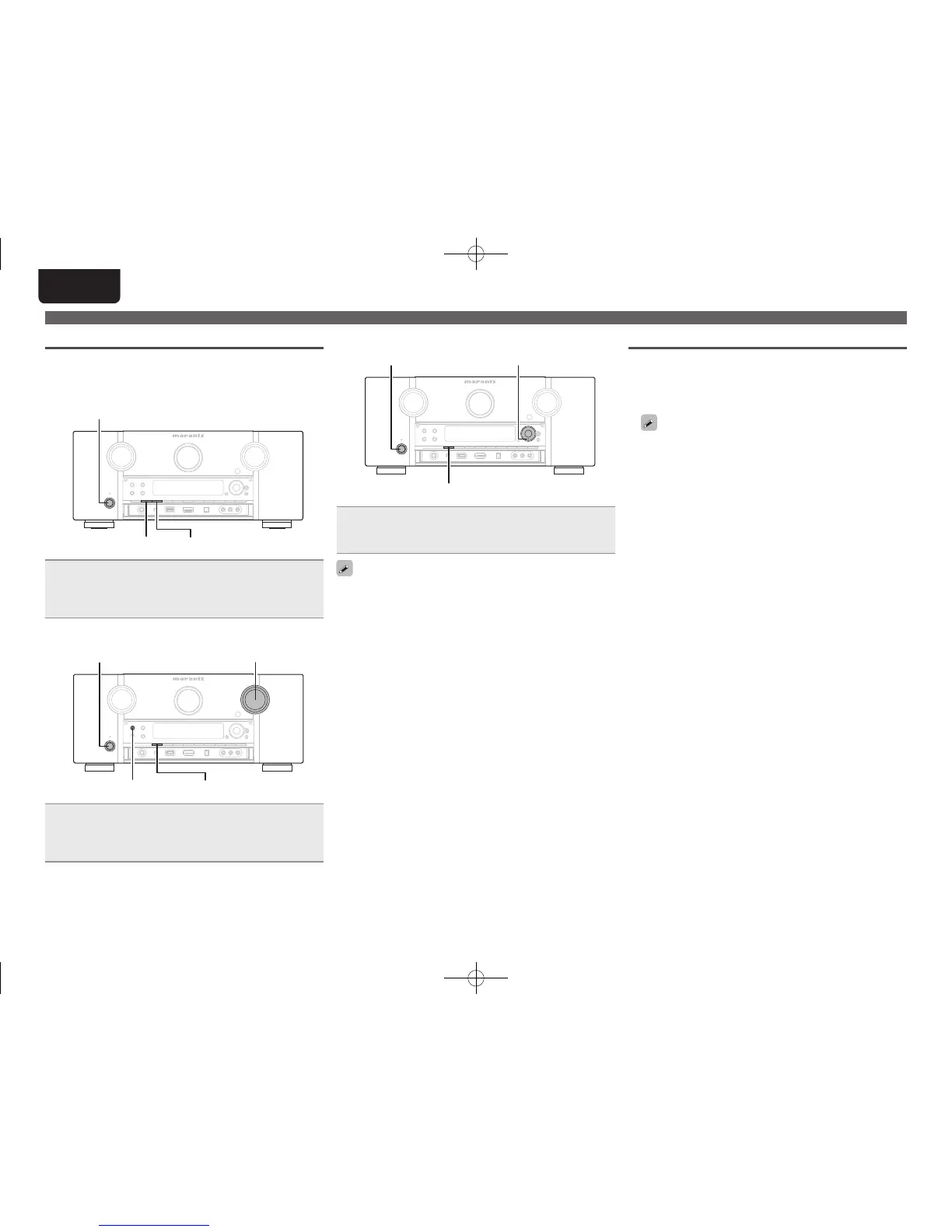
n Disabling all key button operations
AUTO DISPLAY
Press ON/STANDBY while you press and hold AUTO and
DISPLAY with the unit in standby mode.
“Panel Lock:ON” appears on the display and all button operations
except ON/STANDBY are disabled.
n Disabling all button operations except VOLUME
PURE DIRECT DISPLAY
ON/STANDBY VOLUME
Press ON/STANDBY while you press and hold PURE
DIRECT
and DISPLAY with the unit in standby mode.
“Panel Lock:ON” appears on the display and all button operations
except ON/STANDBY and VOLUME are disabled.
n Canceling the Panel lock function
DISPLAY
ON/STANDBY
i
Press ON/STANDBY while you press and hold i and
DISPLAY with the unit in standby mode.
The Panel lock function is canceled.
Even when the Panel lock function is set, you can operate the unit
using the remote control unit.
Various memory functions
n Personal memory plus function
This function sets the settings (input mode, surround mode, HDMI
output mode, MultEQ
®
XT, Dynamic EQ
®
, Dynamic Volume
®
,
audio delay etc.) last selected for the individual input sources.
The surround parameters, tone settings and the volumes of the
different speakers are stored for the individual surround modes.
n Last function memory
This function stores the settings which were made before going
into the standby mode.
When the power is turned back on, the settings are restored.
1.AV7005U_ENG.indd 60 2010/08/23 18:33:05





 To Next Page