VERSION UPGRADE PROCEDURE OF FIRMWARE
ABOUT REPLACE THE MICROPROCESSOR WITH A NEW ONE
When replaced of the U-PRO (Microprocessor) or the Flash ROM, conrm contents of the following.
PWB Name Ref. No. Description
After
replaced
Remark
MAIN IC21 T5CD2(F AAD JZ) CD5004 B
After replaced
A
: Mask ROM (With software). No need write-in of software to the microprocessor.
B : Flash ROM (With software). Usually, no need write-in of software. But, when the software was updated, you
should be write-in of the new software to the microprocessor or ash ROM. Please check the software version.
C
: Empty Flash ROM (Without software). You should be write-in of the software to the microprocessor or ash ROM.
Refer to “Update procedure” or “writing procedure”, when you should be write-in the software.
Necessary Equipment
• Windows PC (OS: Windows 2000 or Windows XP) with Serial port.
• RS-232C Dsub-9 pin cable (female to female/straight type).
• Connection JIG (90M-SR4500JIG)
• Update tool (FlashProg.exe, other les and folders in Flash Programmer folder)
• Update data (CD5004_yymmdd_x.s2h4)
1. Update for software
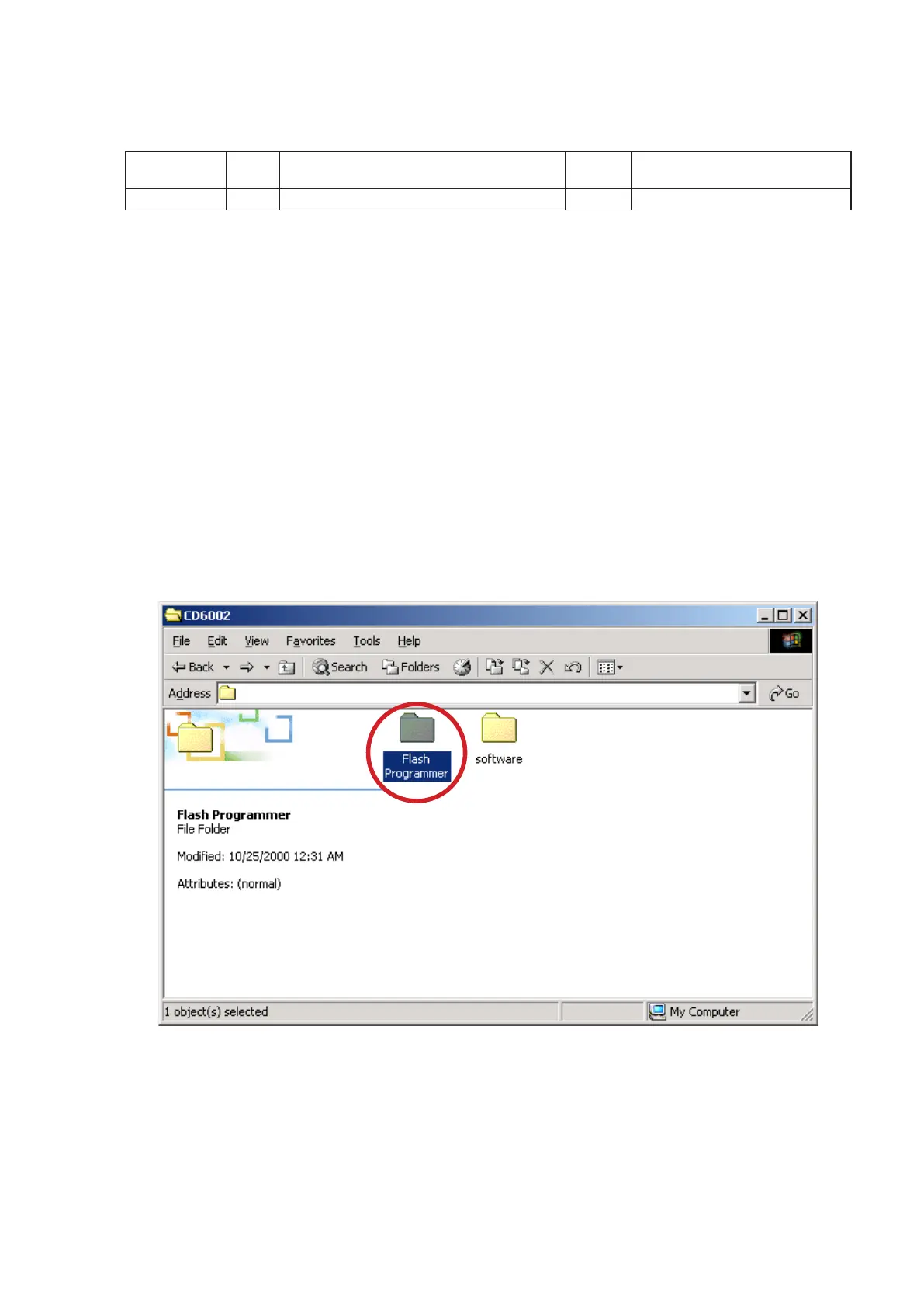
(1) Put the "Flash Programmer" and "software" folder into anywhere on your PC's hard disc.
(2) Double click the "Flash Programmer" folder.
CD5004
CD5004
17



 To Next Page