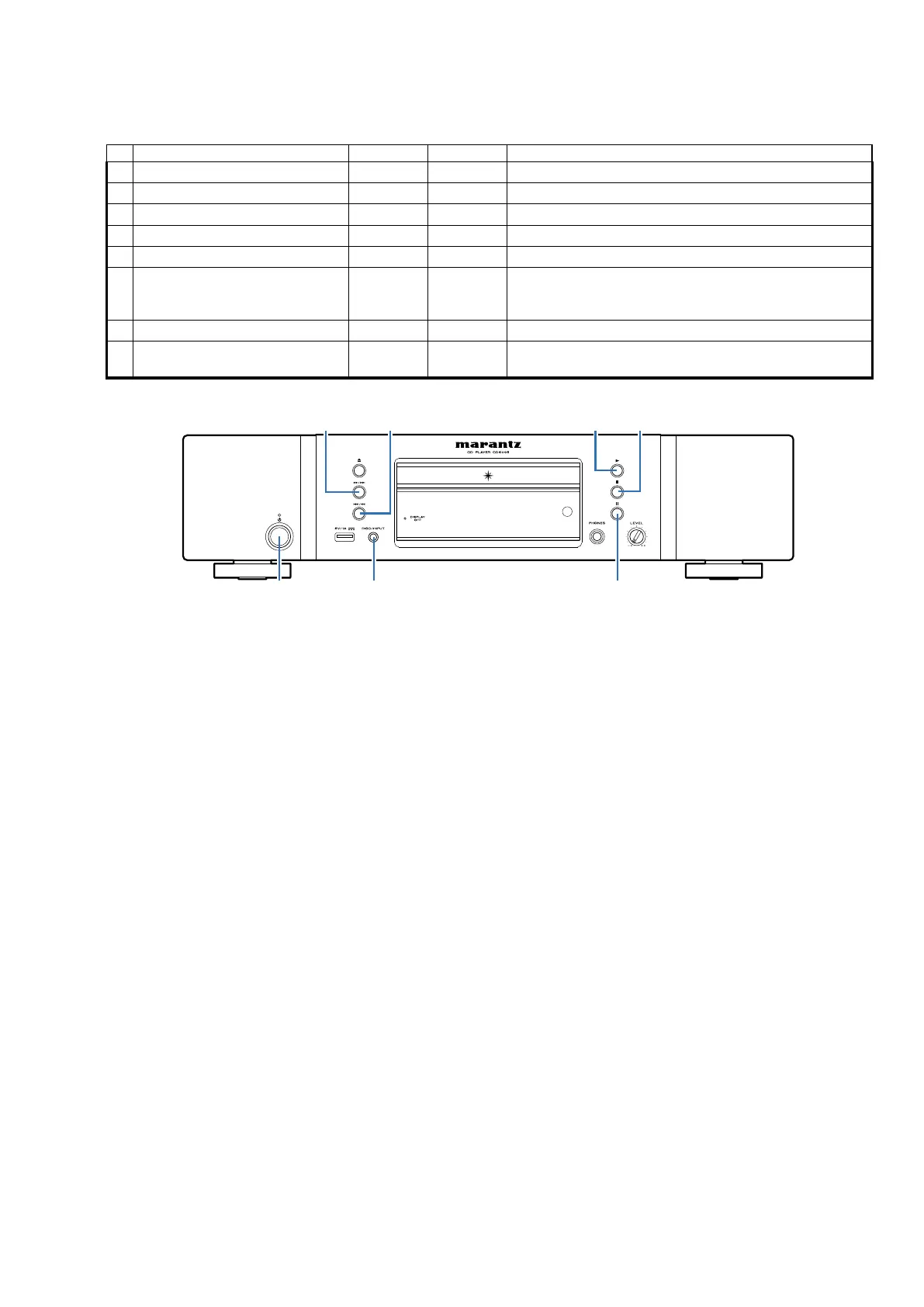
Special mode setting button
b
No.1 - 8 :
Turn on the AC plug while pressing the button of
A and B at the same time.
No. Mode Button A Button B Contents
1 Version display mode DISC/INPUT PLAY Firmware versions such as Main or USB are displayed in the FL.
2 VFD check mode DISC/INPUT STOP All displays on the FL tube ash every 2 seconds.
3 Cold start mode DISC/INPUT PAUSE Initializing CD Player.
4 CD test mode
8
/
6
PLAY Test of CD mech.
5 CD heart run mode
8
/
6
STOP Heat run mode.
6 Laser on time
8
/
6
PAUSE
Laser on time are Displayed.
When the CD mech was replaced, Laser on time will need to
reset. (in this mode)
7 Timer check mode
7
/
9
PLAY Not for service.
8 Over Current display
-
-
If an electric current of over 1A ows in USB-A, then this
message will display.
8/67/9 PLAY STOP
POWER DISC/INPUT PAUSE
f
SPECIAL MODE
17





 To Next Page