Using Adobe Reader (Windows version)
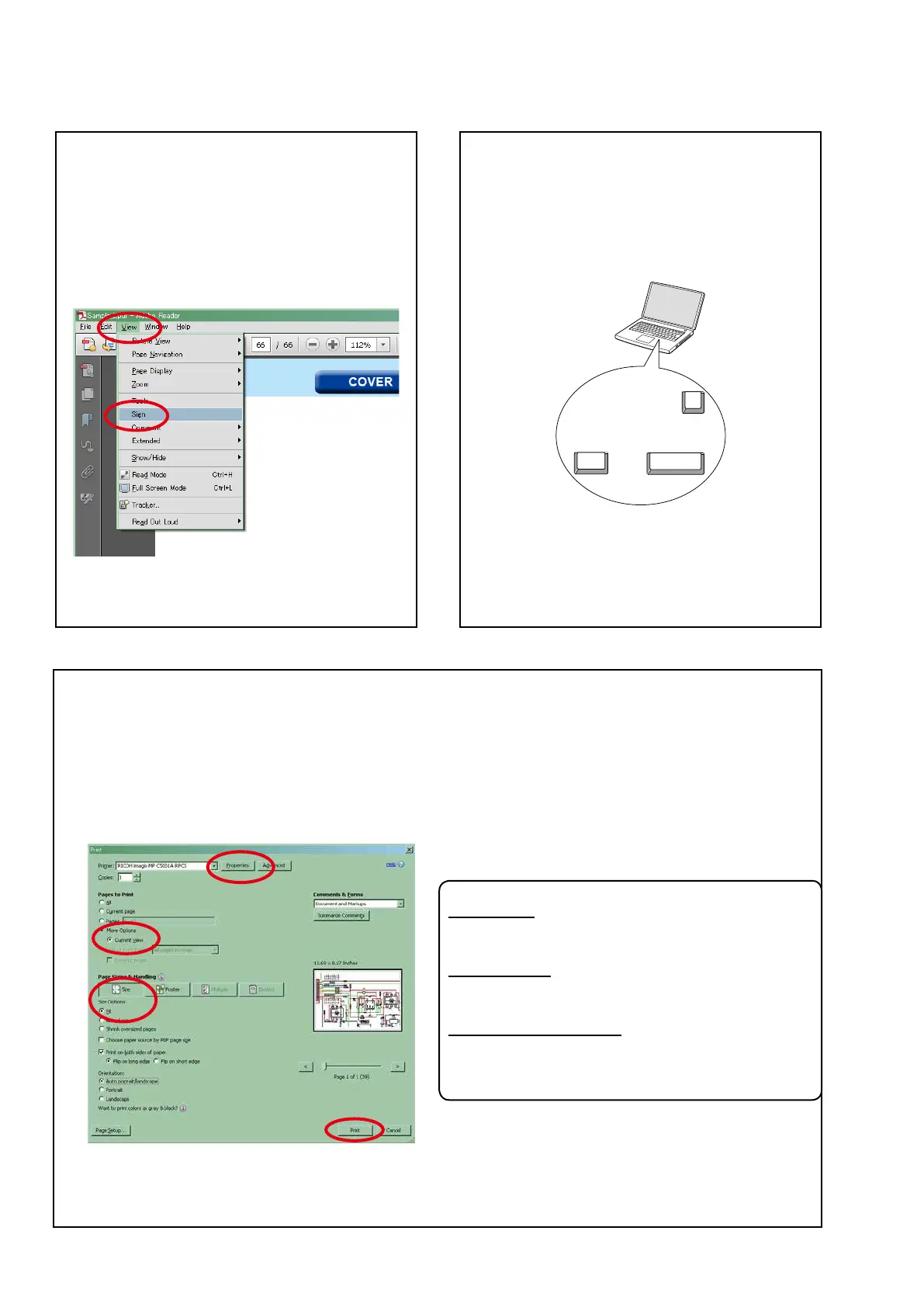
• Properties
Click this button and check that the printer is set to a
suitable paper size.
• Page to print
Select the following checkbox.
"
More Options
" : "
Current View
"
• Page Sizing & Handling
Select the following checkbox.
"
Size
" / "
Size Options
" : "
Fit
"
Add notes to this data (Sign)
TheSignfunctionletsyouaddnotestothedatain
this manual.
Savetheleonceyouhavenishedaddingnotes.
[Example using Adobe Reader X]
On the
"View"
menu, click
"Sign"
.
• The Sign pane appears.
[Example using Adobe Reader 9]
On the
"Document"
menu, click
"Sign"
.
Magnify schematic / printed wiring
board diagrams - 1
(Ctrl+Space, mouse operation)
Press
Ctrl+Space
onthekeyboardanddragthe
mousetoselecttheareayouwanttoview.
• Theselectedareaismagnied.
• Whenyouwanttomovetheareashown,hold
down
Space
and drag the mouse.
• Whenyouwanttoshowafullpageview,press
Ctrl+0
onthekeyboard.
Ctrl Space
0
Print a magnied part of the manual
ThePropertiesdialogboxandfunctionswillvarydependingonyourprinter.
1. Dragthemousetomagnifythepartyouwanttoprint.
2. On the
"File"
menu, click
"Print"
.
3. CongurethefollowingsettingsinthePrintdialogbox.
4. Click the
Print
button to start printing.
4





 To Next Page