4
ENGLISH
Quick Start Guide
Before using the CDR310, please read through the following section which explains the basic flow of operation.
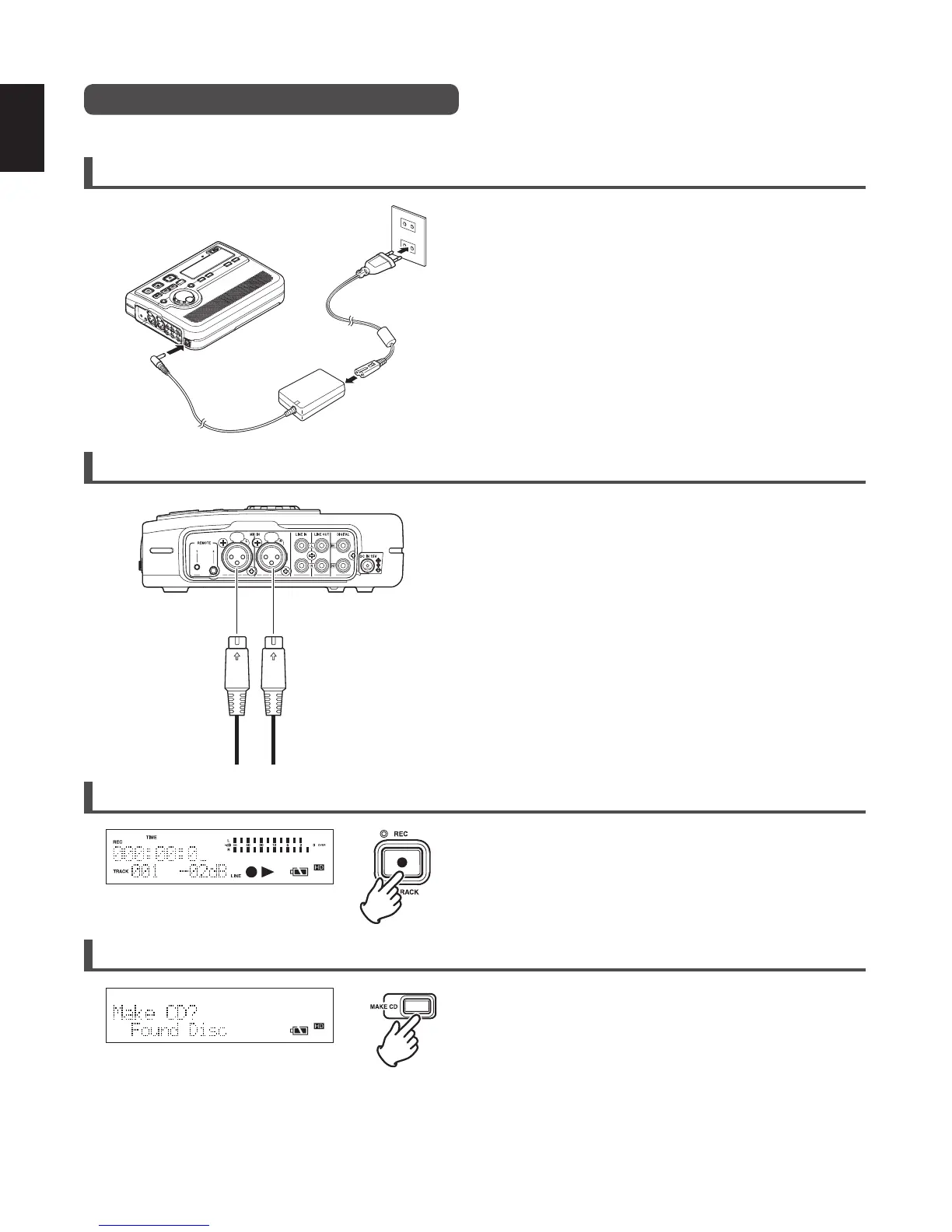
1. Setup the power supply (
☞
P.11)
• Use either the provided AC adaptor or batteries.
• You can use any one of the 3 types of batteries:
Alkaline, optional Nickel-Cadmium, or optional Nickel-
Metal Hydride.
• Please make sure batteries are fully charged.
2. Connect an external microphone and turn the power ON. (
☞
P.13, 20)
• Connect the external microphone to the MIC IN jack. (
☞
P. 2 0)
• Slide the power switch to the ON side. (
☞
P.13)
3. Record (
☞
P.20)
• Press the REC button, and recording starts.
• Adjust the recording level/LR balance. (
☞
P.26)
• Detailed settings for recording. (
☞
P.22)
• Press the STOP button, and recording stops.
4. Burn a CD (
☞
P.34)
• Press the MAKE CD button to burn to a CD-R.
• When the CD burning process has completed, the CD-R is
automatically ejected.
• To continue to burn to a different CD-R, insert a new CD-
R.
• If the CD creation is ended without burning onto another
CD-R, all of the HD data is deleted.
MIC IN
LR



 To Next Page