42
ENGLISH
Switching the display mode
Depending on the status of the recorder, you can switch the
information in the display by pressing the DISPLAY button.
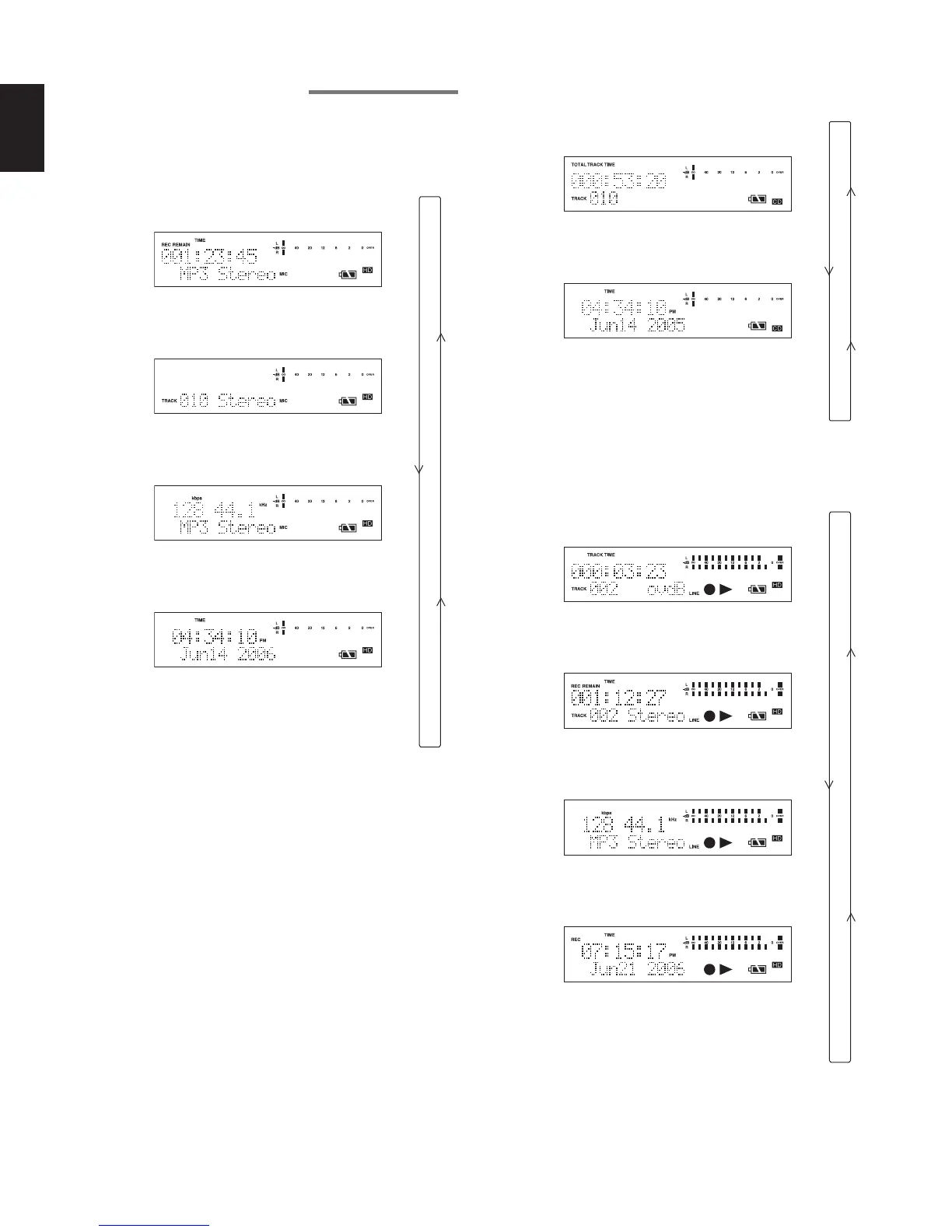
[When the HD is stopped]
Remaining recordable time on the HD
(Default display)
Total number of tracks
Recorded track information
Current time
Remaining recordable time on the HD
(Return to the default display)
[When CD is stopped]
CD total time and total number of tracks
(Default display)
Current time
CD total time and total number of tracks
(Return to the default display)
[When in HD recording or recording paused status]
Recording elapsed time of current track
(Default display)
Remaining recordable time on the HD
Recording format of recorded track
Recording date and time information
Recording elapsed time
(Return to the default display)



 To Next Page