17
ENGLISH
Menu Settings
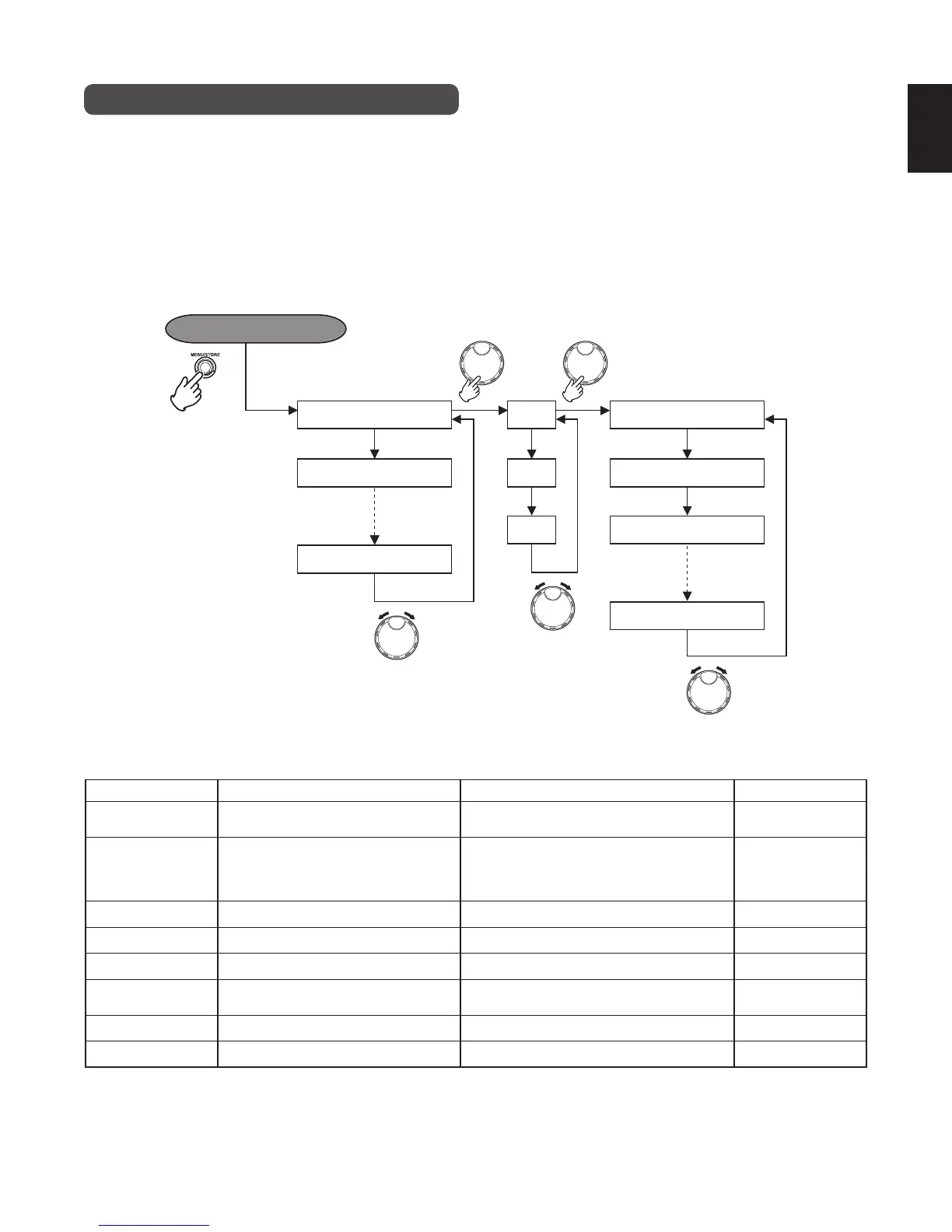
The recorder uses 8 menus to set the various functions.
There is a menu for basic settings such as time (display method), alarm, automatic power off, and battery type, and a menu for
formatting the internal HD. These menus are displayed by pressing the MENU/STORE button once to enter the menu mode.
You can also perform detailed settings for the recording and playback conditions, and register up to 3 of these settings in the
preset menu. To enter this preset menu, select “PRESET” using the JOG, then specify the preset number.
Refer to “Preset Menu” for details on preset items. (
☞
P.18)
Preset
Date/Time
Format HD
1
2
3
Input
RecFormat
CD Split
Default
Menu mode
MENU/STORE Button
First level Second level
The composition of these menu contents is explained below.
Menu Menu explanation Settings Default settings
Preset
3 settings can be registered. Select the
preset number, and set the various items.
Preset-1, 2, 3 Preset-1
Date/Time (
☞
P.15)
Sets the clock (current date and time).
2006−2099
JAN − DEC
1 − 31
0:00 − 23:59, (AM/PM 0:00 − 11:59)
2006
JAN
1
0:00 (0:00)
Date Form (
☞
P.16)
Selects the type of date form. M (Month) / D (Date) / Y (Year), D/M/Y, Y/M/D, D/M/Y
Time Form (
☞
P.16)
Selects the type of time form. 12H, 24H 24H
Beep (
☞
P.41)
Sets the alarm on/off. On/Off On
A.PowOff (
☞
P.41)
Sets the automatic power off setting.
On/Off
Time : 5/10/15/30 min
Off
15 min
Batt_Type (
☞
P.13)
You can select the type of battery. Alkaline, NiCd, NiMH Alkaline
Format HD (
☞
P.21)
Formats the HD. (Execute) −



 To Next Page