16
ENGLISH
Date form settings
There are 3 types of date form. You can set the form to your
own preference.
Form type Form subjects Form example
M/D/Y Month/Date/Year Jan 10 2006
D/M/Y Date/Month/Year 10 Jan 2006
Y/M/D Year/Month/Date 2006 Jan 10
< Default value > D/M/Y
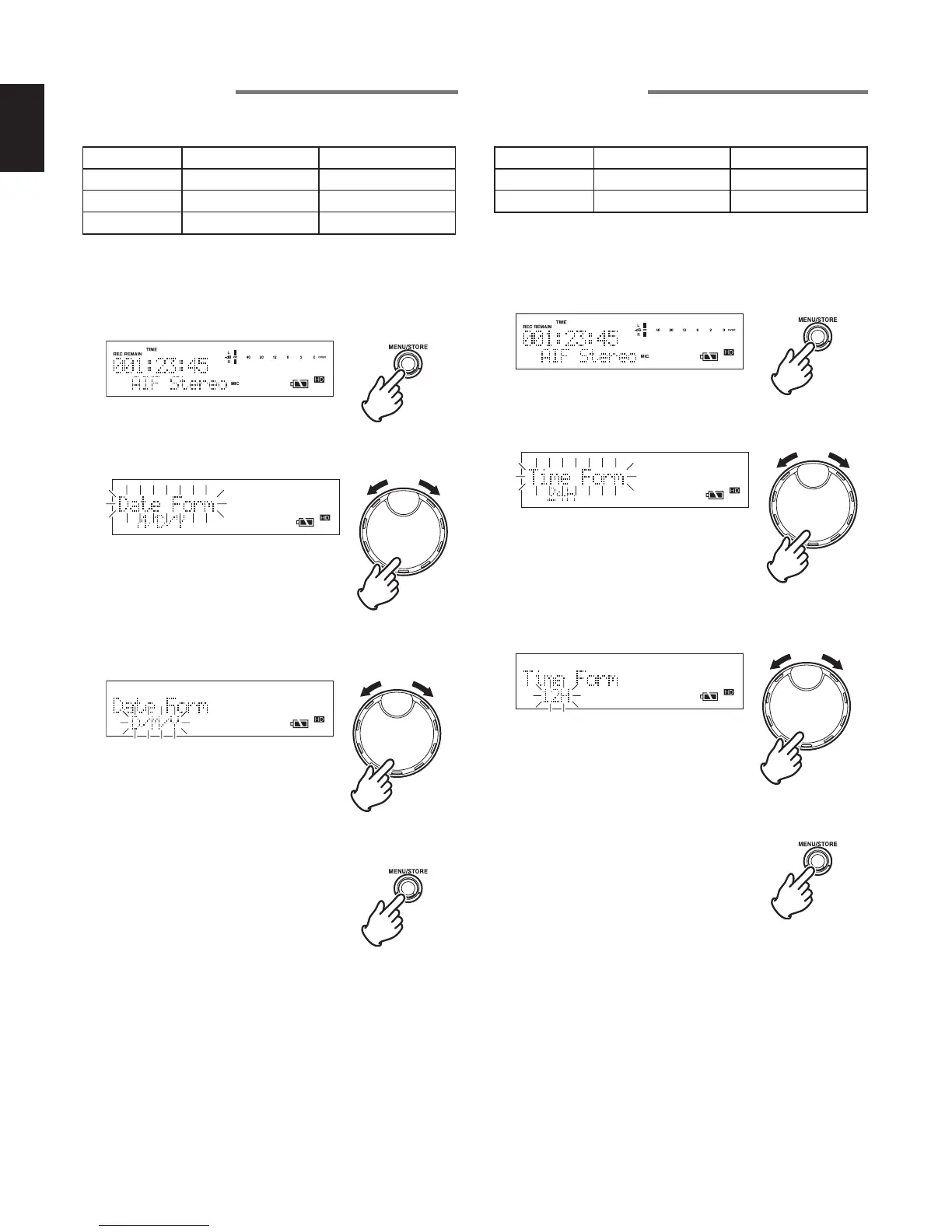
1 While the recorder is stopped, press the MENU/STORE
button.
2 Turn the JOG to select “Date Form” and press the JOG.
3 Turn the JOG to select the type of date form, and press
the JOG.
4 Press the MENU/STORE button to register the settings.
Time form settings
There are 2 types of time form. You can set the form to your
own preference.
Form type Form subjects Form example
12H AM/PM display 01 : 00 : 00 pm
24H 24 hour display 13 : 00 : 00
< Default value > 24H
1 While the recorder is stopped, press the MENU/STORE
button.
2 Turn the JOG to select “Time Form” and press the JOG.
3 Turn the JOG to select the type of time form, and press
the JOG.
4 Press the MENU/STORE button to register the settings.



 To Next Page