46
ENGLISH
(REC indicator)
Lights red during recording, and flashes red while
recording is paused.
(Peak indicator)
Lights orange when the source level becomes the same
level as [OVER] on the level meter during recording or
recording pause.
However, it lights green when in standby (statuses other
than recording and recording pause). Orange (peak)
takes precedence over red in the display.
Margin display
For this reason, a precise clip margin (amount of margin from
the current source level at 0dB) is displayed in –dB. The value
is held in the same way as for peak hold. Press the CANCEL
button to reset it.
Margin display
CD-TEXT, ID3 tag
There is no text display function on the recorder. However,
the Time/Date stamp (the recording start date and time for a
certain file) information can be recorded as text information.
This is so file recording information can be seen on a regular
CD player. The information is recorded in the title areas for
both, as CD text for CD-DA, and as an ID3 tag for MP3.
These text displays can be displayed on CD players that
support these text displays.
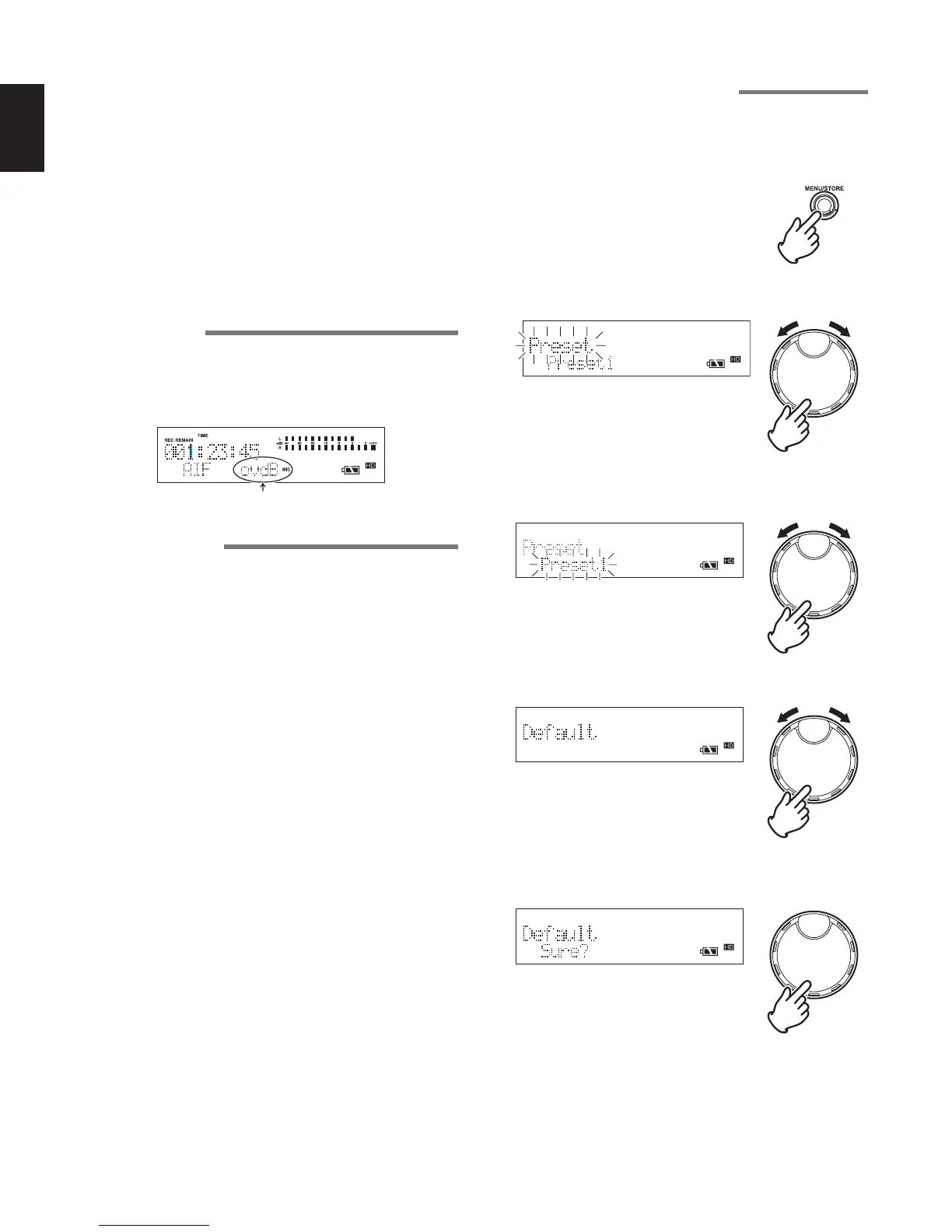
Initialization of preset settings
Returns the settings of the selected preset number to default.
1 While the recorder is stopped, press the MENU/STORE
button.
2 Turn the JOG to select “Preset” and press the JOG.
3 Turn the JOG to select the preset number that you wish to
set, and press the JOG.
4 Turn the JOG to select “Default” and press the JOG.
• At this time, a default process confirmation screen is
displayed. Press the JOG to perform the process.
• After default processing, “Completed” is displayed for
1 second, and the settings only for the selected preset
number are returned to the default values. After that, the
recorder returns to the stopped status.



 To Next Page