24
ENGLISH
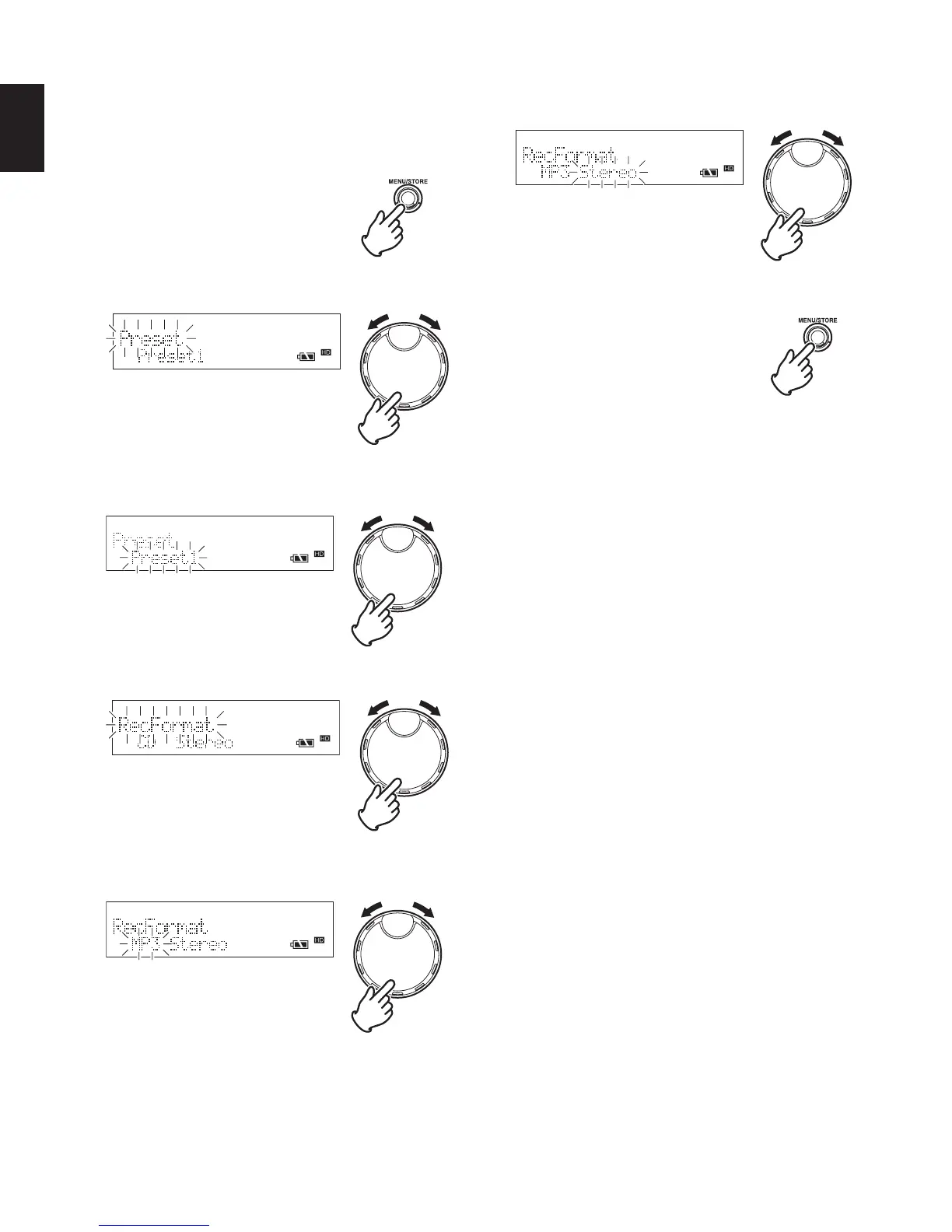
Set the recording format (compression format and channel)
using the procedure shown below.
1 While the recorder is stopped, press the MENU/STORE
button.
2 Turn the JOG to select “Preset” and press the JOG.
3 Turn the JOG to select the preset number that you wish to
set, and press the JOG.
4 Turn the JOG to select “RecFormat” and press the JOG.
5 Turn the JOG to select the compression format (“MP3”,
“CD-DA”, “WAVE”, “AIFF”), and press the JOG.
6 Turn the JOG to select the channel (“Stereo”, “Mono”) and
press the JOG.
7 Press the MENU/STORE button to register the settings.



 To Next Page