Initializing this unit
This unit initialization should be performed when the μcom, peripheral parts of μcom, and Digital
PCB. were replaced.
1. Turn off the power unplug the power cord.
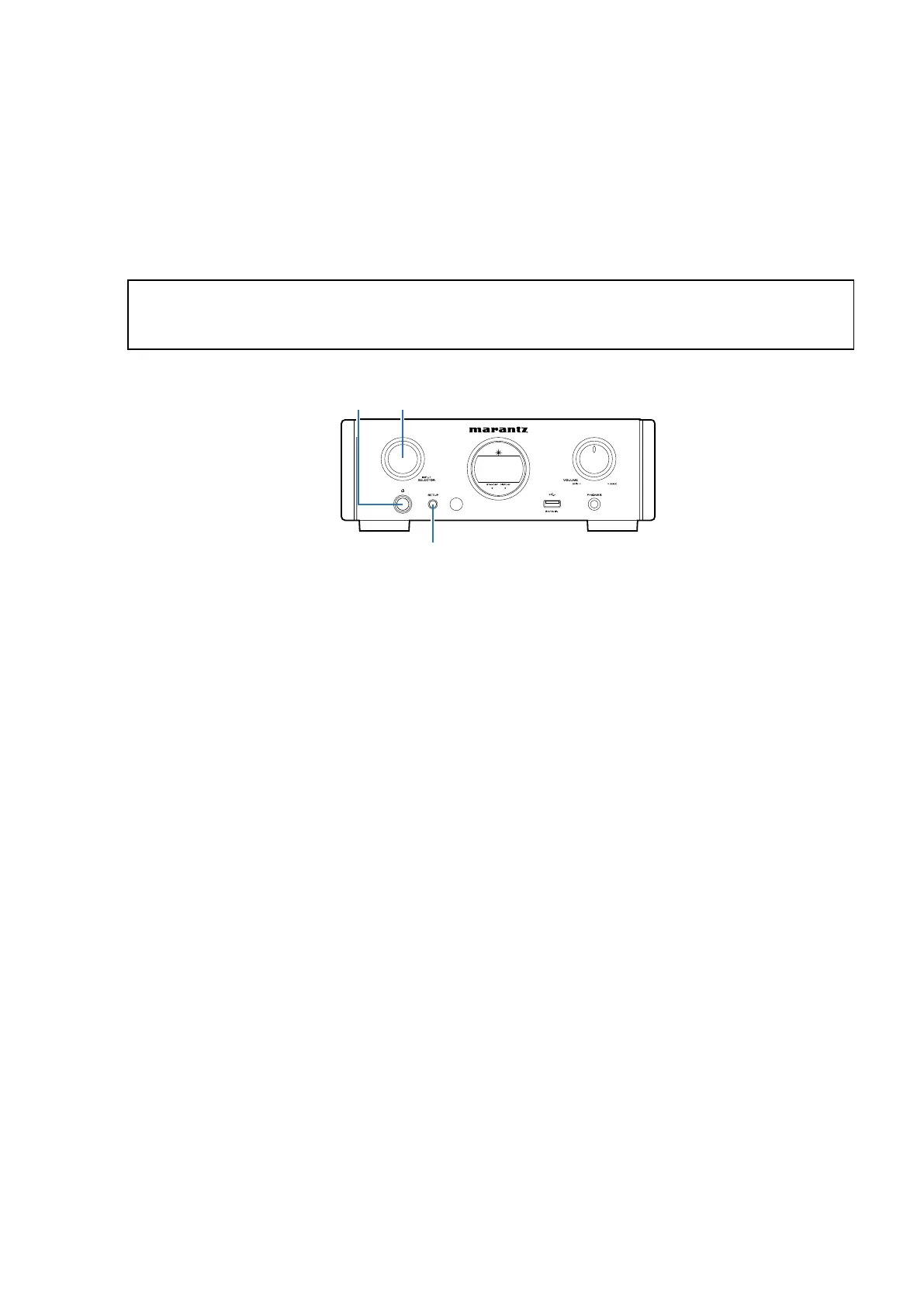
2. Hold down buttons
X
button and "SETUP" button at the same time and connect the power plug to an outlet.
3. The information shown on the display changes each time the button "SETUP" is pressed.
" Factory Reset " will appear on the display, wait for 2 seconds or more as it is. Initialization will begin.
Service Jig
When you update the rmware , you can use the following JIG.
(RS232C to internal connector conversion adapter without 7P FFC kit )
Please order it from Marantz Ofcial Service Distributor in your region if necessary.
00DSPK-581 : WRITING KIT (without FFC) : 1 Set
606050028012P : 7P FFC(1.0)L=240 : 1 Set
(See 25 page.)
NOTE: • If step 3 fails, start over from step 1.
• All user settings will be lost and the factory setting will be recovered after the set is initialized.
So make sure to note down your setting beforehand for restoring after the initialization.
Power operation
button (X)
INPUT
SELECTOR
SETUP
CAUTION IN SERVICING
11


 To Next Page