ADJUSTMENT
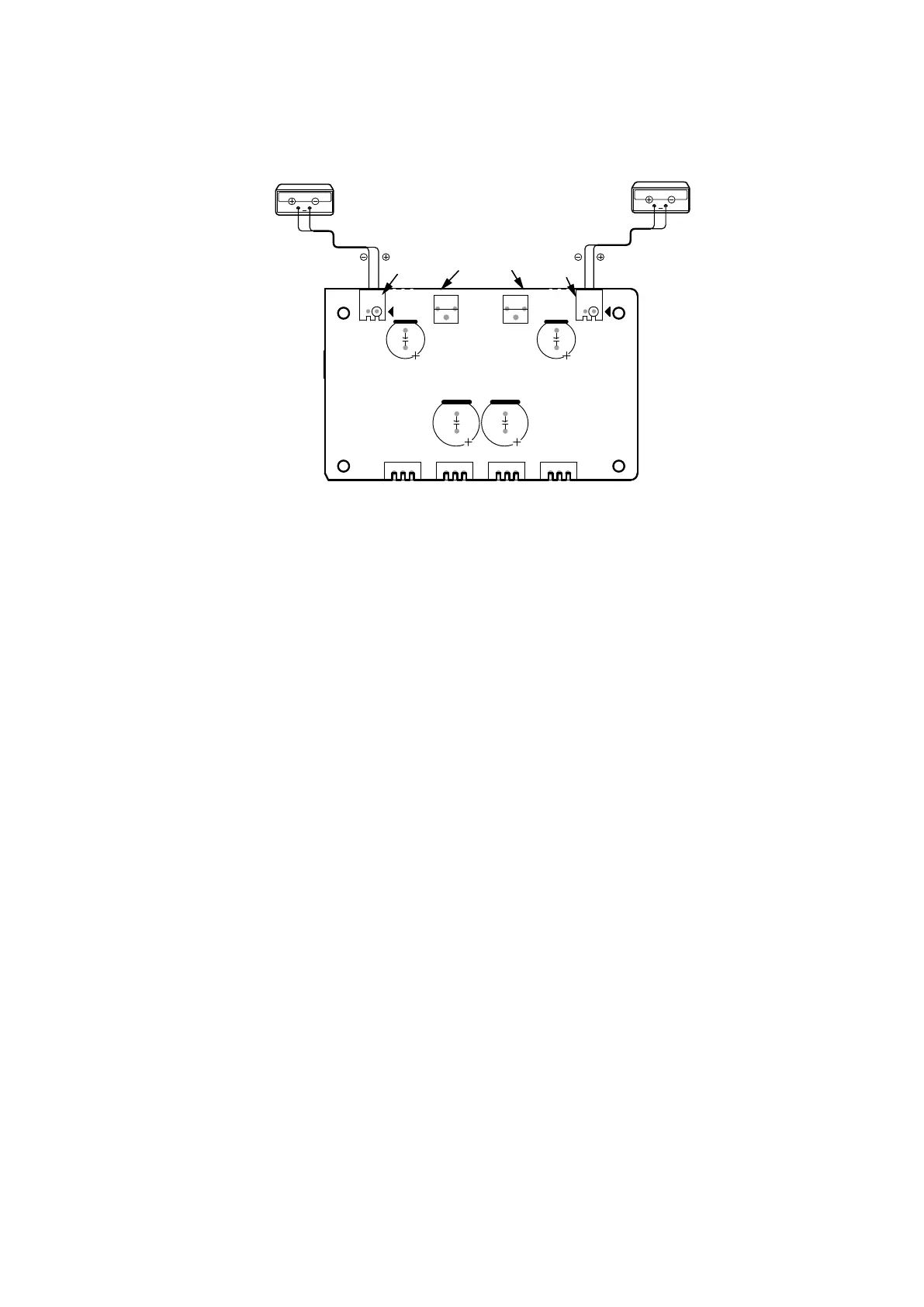
Adjusting Procedure
Set the power voltage to rated voltage for this adjustment.
Idling Current Adjustment
1. Adjust the Idling Current with the variable resistor
VR71
and
VR61
on the PCB
CUP12689-3
.
2. Turn off the power.
3.
"+"
of Connect Digital Voltage is connected to the No. 1 pin and connected
"–"
to No. 2 pin of
CN61
.
4.
"+"
of Connect Digital Voltage is connected to the No. 1 pin and connected
"–"
to No. 2 pin of
CN71
.
5. Before turning on the power,
VR61
and
VR71
have been counter clockwise turned with the adjustment driver.
6. Turn on the power,
VOLUME
is set as
-∞
.
7. After 1 minutes, with seeing the digital voltage meter turn the variable resister clockwise slowly to adjust the idling
current.
• Idling adjustment with
VR61 (VR71)
.
• Turn
VR61 (VR71)
clockwise to increase the idling current.
• The adjustment value of idling current is
"
50mV (25mA) ± 3 mV
(
1.5 mA
)" each.
NOTE :
Idling current decreases with the temperature rise inside the unit, and it is set to
"52mV (26mA)"
of setting value
in about 30 minutes after turn on the power.
CN71
CN61
VR71
VR61
Digital Voltmeter
V
Digital Voltmeter
V
B E B
CN71
CUP12689-3
E B E B E
CN61
VR71 VR61
33


 To Next Page