SPECIAL MODE
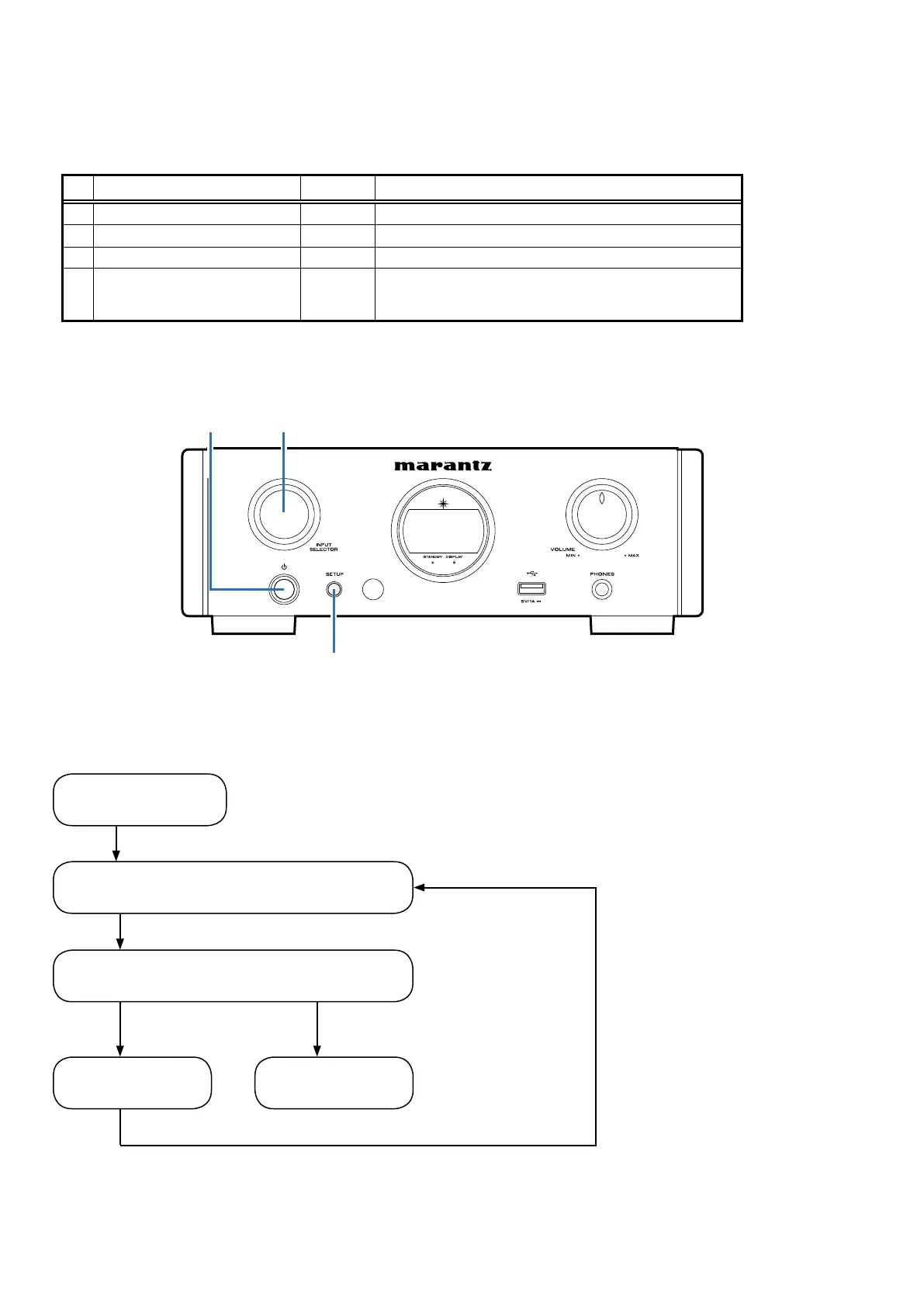
Special Mode Conguration Buttons
Press the Power operation "
X
"and SETUP buttons simultaneously while inserting the AC plug to turn the power on.
Press the B button to move to the each mode.
No. Mode B Contents
1
Version check display SETUP
Display the version and the region information.
2
Display / LED check SETUP
FLD / LED test.display.
3
Factory Reset
SETUP
Initialize factory setting.
4
Auto standby test SETUP
Set the Auto Standby time to 4 minutes.(For Checking Operation)
Move from Display/LED check mode.
To exit the special mode disconnect the adapter plug.
Power operation
button (X)
INPUT
SELECTOR
SETUP
Version check display mode
Display/LED check mode
Factory reset mode.
SETUP
Special mode Flow Chart
SETUP
SETUP
SETUP
Hold on more than 1 second
Auto standby test mode
To enter the special mode
22


 To Next Page