PROCEDURE AFTER REPLACING THE MICROPROCESSOR, ETC
The procedure after replacing the u-COM (Microprocessor), ash ROM, etc. is as follows.
PWB Name Ref. No. Description
After
replaced
Remark
DIGITAL IC11 STM32F101ZE
B
SOFTWARE: SYSTEM
DIGITAL IC21 EPM240T100C5N
A
SOFTWARE: CPLD
DIGITAL IC32 MX25L4006EM2I
B
SOFTWARE: DSP (USB-B)
After replacing
A
: The software has been written. The software is not written at the time of replacement.
B
: The software has been written. The software may need to be rewritten by version updates. Check the version.
C
: The software has not been written. The software needs to be written after replacement. See “Firmware
UpdateProcedure” for information on writing the software.
D
: The software has been written. Be sure to rewrite with the latest software for your service region. See “Firmware Update
Procedure” for information on writing the software.
FIRMWARE UPDATE PROCEDURE
1. Procedure for upgrading IC11
1.1. Items to Be Prepared
(1) Personal Computer (Be installed "Flash_Loader_Demonstrator_v2.6.0_Setup.exe").
(2) RS-232C cable (9P (Male), Straight).
(3) SPK-581 WRITING JIG. 7P FFC(Straight)
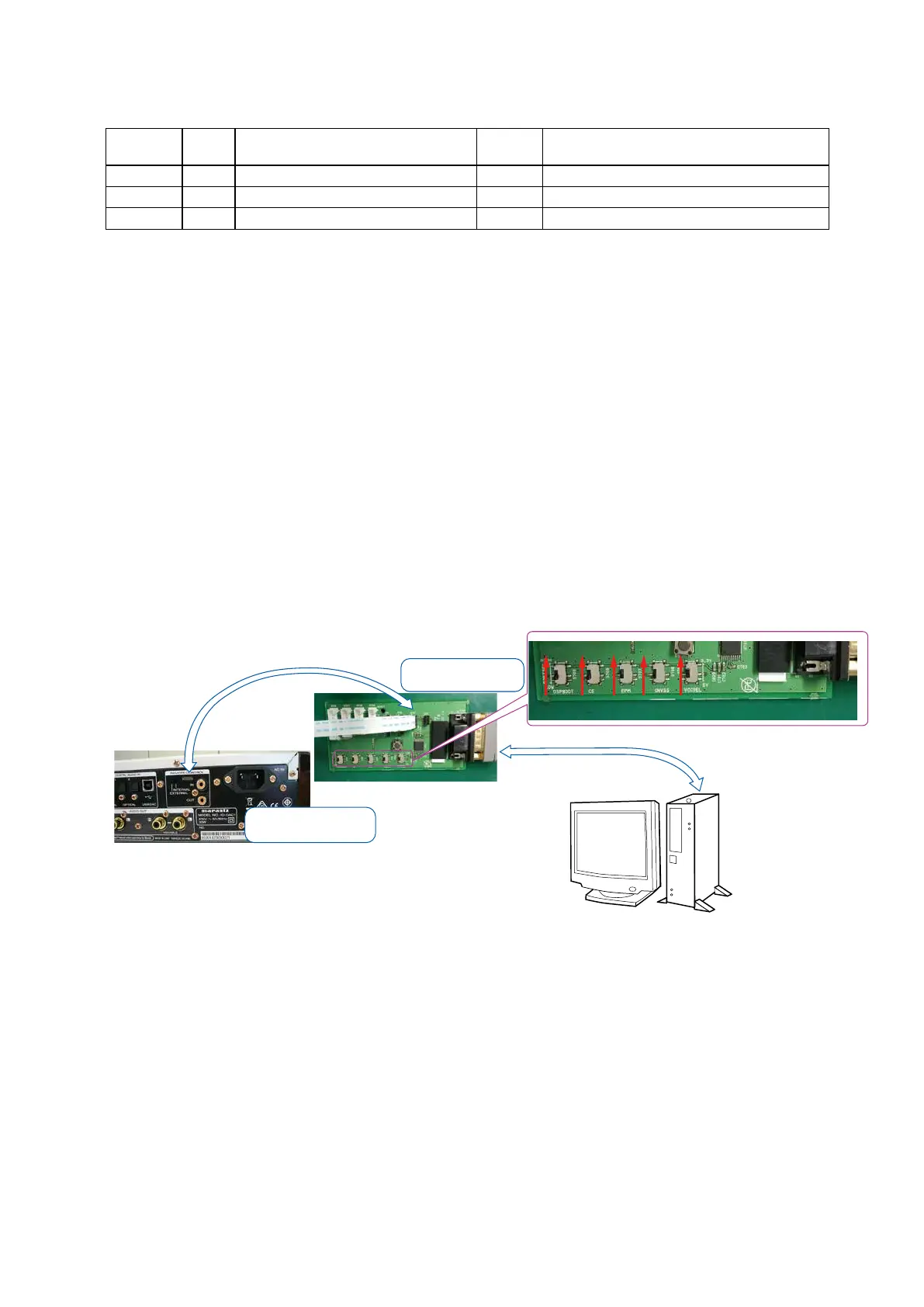
1.2. Connecting the WRITING KIT to the unit
(1) Check that the power of this unit is turned off.
(2) Connect the RS-232C cable from PC with the WRITING KIT.
(3) Connect the WRITING KIT to the update terminal of the unit.
PC
WRITING KIT
RS-232C Cable
7P FFC
Insert the FFC to match
the mark of 1st Pin.
Upper side is contacts of
flexible card cable.
25


 To Next Page